Erick the Architect is a founding member of, and the primary producer for, the legendary Flatbush Zombies. He’s toured the world, performed on Kimmel and Fallon, played Coachella, and collaborated with everyone from Joey Bada$$ and the Rza to James Blake and hardcore punk band Trash Talk. But perhaps the most unexpected collab was with Apple, when Erick popped up following Tim Cook’s final WWDC presentation to rap about apps. That was just a precursor to him dropping his new disco and reggae-tinged single, “No Doubt (I’m In Love).”
Technology
Don’t fall for these sneaky tax scams that are out to steal your identity and money


Tax season isn’t fun for most people, but it can be downright miserable if you fall for a scam. This year, there’s been a noticeable uptick in scam callers impersonating IRS officials, and with the rise of AI-voice programs, these scams have become more convincing than ever.
The IRS flagged 2.4 million tax returns with refunds totaling roughly $13.8 billion for possible identity theft. Identity thieves use stolen information — like your SSN, name, address and more — to file fraudulent tax returns in your name.
Meanwhile, the Better Business Bureau’s (BBB) Scam Tracker collects reports on tax scams from the public. For scams reported as tax collection to BBB’s Scam Tracker in 2023, the median dollar loss was $2,100.
Here are some of the scams the BBB warns you to look out for this tax season.
CLICK TO GET KURT’S FREE CYBERGUY NEWSLETTER WITH SECURITY ALERTS, QUICK VIDEO TIPS, TECH REVIEWS AND EASY HOW-TO’S TO MAKE YOU SMARTER
“Tax time” post-it on tax documents. (Kurt “CyberGuy” Knutsson)
1. Phone scams
Scammers pretend to be someone from the IRS and call you to ask to make back payments or send over personal information that can’t be found in the IRS system. They often pressure you to act immediately, threatening arrest or fines if you don’t comply.
In 2024, phone scammers have gotten so sophisticated that they will create fake badge numbers, get a fake caller ID name that appears to be from the government or leave official-sounding robocalls with the help of AI voiceovers.
NEW IRS CRACKDOWN ON ‘HIGH-INCOME’ TAX CHEATS OWING HUNDREDS OF MILLIONS
2. Phishing email scams
Phishing emails are scam emails designed to get personal information from you. Scammers will text, email or even message you on social media, claiming to be an IRS agent, and they will send you a link to a fake IRS website designed to steal your Social Security number and other sensitive personal data. Always remember: the IRS will never communicate with you via email but instead by physical USPS mail.
A person preparing their tax documents. (Kurt “CyberGuy” Knutsson)
3. Signs of tax-related identity theft
1. If you try to file your tax return by mail and receive a letter from the IRS stating that they have already received a return in your name, that could mean your identity has been compromised.
2. Also, if you go to file your tax return electronically and the IRS alerts you that someone filed for your return using your Social Security number, then you have likely been a victim of identity theft.
3. Lastly, if the IRS sends you a letter stating that you have created a new online account and you know you didn’t do this, that is a dead giveaway that your identity may have been stolen.
Tax documents. (Kurt “CyberGuy” Knutsson)
MORE: THE URGENT PAYPAL EMAIL SCAM YOU CAN’T AFFORD TO IGNORE
Stay safe with these 8 tips from the Better Business Bureau
Tip 1 – File early
Filing early is one of the most sure-fire ways to keep yourself safe during tax season. If you file as soon as possible, there’s less of a chance someone can steal your identity by filing your taxes before you do. Always make sure to have all of your tax documents ready when you start to file.
Tip 2 – Know how the real IRS will contact you
The IRS doesn’t send emails, and their agents will never text you or contact you on social media. Typically, the IRS will only contact you through postage mail, but there is a chance that an IRS agent may perform an in-person visit, but only after confirming the visit via postage mail.
Tip 3 – Get an identity protection PIN (IP PIN) from the IRS
An easy way to add an extra layer of security to yourself is by getting an Identity Protection PIN, or IP-PIN, from the IRS. An IP-PIN is a six-digit number that the IRS uses to confirm your identity. It can help identify you even when someone nefarious has accessed your Tax ID and Social Security number. Signing up for an IP-PIN is easy and can be done online at IRS.gov, and the IRS will mail you a new IP-PIN after you opt-in every December.
Calculator and tax documents. (Kurt “CyberGuy” Knutsson)
MORE: BEWARE OF THE ‘SAY YES’ PHONE SCAM
Tip 4 – Know how the IRS accepts payments
The IRS never demands immediate payment and will never ask for a credit card number or bank information over the phone. Never, under any circumstances, pay any money to someone claiming to be an IRS agent asking for cryptocurrency, digital gift cards or wire transfers.
Tip 5 – Know the signs of fraud
If the IRS informs you that either your return has already been filed or that you received wages from an employer you aren’t familiar with, you need to visit an IRS office in person as soon as possible to ensure you haven’t fallen victim to fraud.
Tip 6 – Protect your information
Ensure you keep all documents related to your taxes in a secure location, such as a home filing cabinet or on a password-protected computer. Generally, never give out your Social Security number unless absolutely necessary.
Tip 7 – Only use secure filing websites
Always make sure you are accessing the real IRS website by checking that the URL is spelled correctly. Look for the lock symbol next to the URL in your browser’s search bar to tell you that your connection to the IRS’s website is secure.
Tip 8 – Report any suspected scams
If you receive a phone call or email asking for important tax information, hang up immediately. Report the call first to the IRS. Next, you should make a report to the Federal Communications Commission. Finally, head to the Better Business Bureau and report the scam to their scam tracker.
Person upset by what he sees. (Kurt “CyberGuy” Knutsson)
MORE: HOW SCAMMERS USE GOOGLE VOICE VERIFICATION CODES TO STEAL YOUR IDENTITY AND MONEY
5 things to do if you are a victim of identity theft
1. Complete IRS Form 14039, the Identity Theft Affidavit: This is the form that all victims of fraud have to fill out for the IRS. This will let them know that the person who is claiming to be you is a fraud. You can find the form on the IRS website.
2. Request a copy of the fraudulent tax return from the IRS: You can do this by going to this page on the IRS website on dealing with fraudulent returns and following the instructions to order a copy.
3. Alert national credit bureaus: Let the national bureaus like Experian, Equifax and TransUnion know that there has been fraud and place a freeze on your account so that the scammers cannot get to it.
4. Report the crime to the Federal Trade Commission: The FTC is there to help track down scammers, and your report can also help them keep a record of how many scams are happening in a single year so that they can better improve how to warn others. You should also report the crime to identitytheft.gov
5. Check your online bank accounts: Make sure there aren’t any suspicious transactions on any of your accounts.
A woman is upset while preparing her taxes. (Kurt “CyberGuy” Knutsson)
MORE: TOP WAYS TO SAFEGUARD AGAINST SOCIAL SECURITY NUMBER FRAUD
How can you protect yourself from tax-related identity theft?
Use an identity theft protection service: Identity theft companies can monitor personal information like your Social Security number (SSN), phone number and email address and alert you if it is being sold on the dark web or being used to open an account. They can also assist you in freezing your bank and credit card accounts to prevent further unauthorized use by criminals.
One of the best parts of using some services is that they might include identity theft insurance of up to $1 million to cover losses and legal fees and a white glove fraud resolution team where a U.S.-based case manager helps you recover any losses. See my tips and best picks on how to protect yourself from identity theft.
Have good antivirus software: The best way to protect yourself from clicking malicious links that install malware that may get access to your private information is to have antivirus protection installed on all your devices. This can also alert you of any phishing emails or ransomware scams. Get my picks for the best 2024 antivirus protection winners for your Windows, Mac, Android & iOS devices.
Kurt’s key takeaways
Going from winter into spring may seem like an intense time with scammers due to the tax season immediately following the holiday shopping season. However, the reality is that scammers work around the clock and are active all year. These tips from the Better Business Bureau are a helpful reminder of ways to keep yourself safe from scammers throughout the year.
How do you feel about the rise of AI-voice programs and their use in phone scams? Does it make you not even want to pick up the phone? Let us know by writing us at Cyberguy.com/Contact
For more of my tech tips & security alerts, subscribe to my free CyberGuy Report Newsletter by heading to Cyberguy.com/Newsletter
Ask Kurt a question or let us know what stories you’d like us to cover.
Answers to the most-asked CyberGuy questions:
Copyright 2024 CyberGuy.com. All rights reserved.


The Swift Observatory was launched in 2004, but recent solar storms have pushed its orbit lower, and it’s in danger of burning up in Earth’s atmosphere as soon as this year. To try and stave off its demise, NASA has enlisted Katalyst Space Technologies. The company’s Link spacecraft launched Friday with the goal of intercepting Swift, which has no propulsion system, and boosting its orbit back to its original position. Right now, Swift is circling at an altitude of 224 miles, and Link is aiming to raise that by about 150 miles.
Using a three-armed spacecraft to lift a satellite 150 miles higher into orbit is challenging enough, but the speed with which Katalyst pulled the mission together makes it even more impressive. NASA required the company to rush the job because Swift would be too low to save by October. $30 million and nine months later, help is on the way for the $500 million Swift.

The new track, produced by Yeti Beats and Federico Vindver, is definitely a shift in tone from the darker, grittier, more boom-bap-grounded sounds Erick is known for. But that’s part of what makes it so compelling. Erick is still looking to experiment and expand his palette this deep into his career. That sense of adventure doesn’t stop him from getting a bit nostalgic for physical phone keyboards and the GameCube, though. It also turns out that Erick was one of just a handful of unfortunate souls who spent their hard-earned money on the Nokia N-Gage.
What is your most indispensable tool?
A moleskine book and a pen.
What is the first app you install on a new phone or computer?
I usually go for Dropbox first so I can pull up the thousands of files I have stored floating around on the internet somewhere.
What is one thing you wish you could change about your phone?
I miss typing on my phone with a physical keyboard like I used to do using a BlackBerry.
What sites do you have pinned to your tab bar?
ESPN, Behance, MyFonts, Fanatics, Topps, eBay, Discord, UPS, FedEx, Whatnot, Plex
How many tabs do you have open right now?
What is your happy place online?
Uh… the screen that says “Your order has been placed” when you buy something online
What is your favorite gadget you’ve ever owned?
Which was the most disappointing?
What game do you have the fondest memories of?
Resident Evil 4 for GameCube. I played this game so many times until my eyes were bloodshot red, and my fondest memory was the huge TV that I played it on. The TVs back then were so big they were actually pieces of furniture. When it came time to move it, you needed like four people to lift up those big tube TVs. Anyhow, I love that game, and I think I’m probably one of the best people at it!
Which tech trend do you wish would go away?
I’m not really a fan of virtual reality and putting things over my eyes to augment my reality… sorry to anyone who is obsessed with those things!
What is one thing you wish you had created?
I wish I had created the song “Bohemian Rhapsody.” It’s such a ridiculous song in the most beautiful way. I can’t compare it to any other piece of music. If I did, I’d have to reference a ton of different songs to make this one. I think if I were the creator of it, people would have no idea what song to expect from me, and that’s pretty cool.
What creation are you most proud of?
If I had a child, my answer would be that — but since I don’t, I would have to say the project I released in 2011 called “Almost Remembered.” It was the catalyst for all of the music I eventually learned how to create, and it gave me the confidence to continue to pursue being a producer and artist. I considered myself an amateur back then, but it was the most creative I’ve felt to date in terms of experimenting with new sounds.
Which are you least proud of?
I don’t want anyone to google the name of the thing I am least proud of hahaha
What’s the best piece of advice you’ve ever received?
My mom told me that everybody has a season, and although it may not be your season now… You have to consider that when it is, that season may last forever. Be patient and wait on it.
What is your current obsession?
What do you do when you need to focus?
Turn my phone off or pretend I don’t have one anymore.
What do you do when you’re feeling stuck?
Again, turn my phone off or pretend I don’t have one anymore.
When was the last time you went somewhere without your phone?
I take walks without my phone all the time, and I use my digital audio player that isn’t connected to the internet whatsoever. I can focus on the music entirely and not be distracted by incoming texts, emails, or social media.
What’s the last piece of physical media you bought?
I bought a bunch of records at VinylCon! a couple of months ago, and I’ve been collecting Absolute Batman and Invincible comics.
What do you think is worth splurging on?
Food and anything you like to collect.
What would the tagline for your biopic be?
“The man with too much on his mind.”
What’s the last GIF or meme you used?
Follow topics and authors from this story to see more like this in your personalized homepage feed and to receive email updates.

It’s a big year for America. It’s the semiquincentennial, otherwise known as America250, and the United States is cohosting the World Cup. But spectators at these events — and the millions of people who live in the cities hosting them — may not realize that they, too, are being watched.
From Kansas City to New York, the US cities hosting the World Cup have been ramping up their surveillance capabilities in the months leading up to the tournament. Security measures are at an all-time high in Washington, DC, which isn’t hosting the World Cup, but is home to a series of spectacles this summer. The Fourth of July festivities in the nation’s capital will have an unprecedented level of surveillance. Law enforcement agencies say they can’t take any risks during these once-in-a-lifetime events — but privacy advocates warn that some of this surveillance won’t be limited to this summer’s celebrations.
Both the Fourth of July fireworks on the National Mall and the July 19th World Cup final in New Jersey have been designated National Special Security Events (NSSE) by the Department of Homeland Security, the most stringent security designation the agency gives. This isn’t unusual for major sporting events — the Super Bowl is always given an NSSE designation — but it’s a first for the Fourth of July. The UFC fight at the White House in June was also an NSSE, as was the official UFC watch party on the Ellipse.
Attendees at the Fourth of July fireworks show on the National Mall will have to pass through airport-style security checkpoints and won’t be allowed to bring folding chairs or coolers. Counter-drone measures will be in place, The Washington Post reports, as will bomb technicians, countersnipers, and medical personnel from several federal agencies. While attendees will notice these security measures, others could be close to invisible — including camera networks that track their biometrics.
The measures at the National Mall appear to be a response to criticisms of lax security at the White House Correspondents’ Dinner, which was infiltrated by a gunman who allegedly shot at a Secret Service agent.
There will be similar measures in place at the World Cup final, which Donald Trump is expected to attend — and where he will reportedly present the trophy to the winning team.
“This is going to be security-o-rama regardless of whether the president goes,” Jules Boykoff, author of Red Card: The 2026 World Cup, Sportswashing, and the FIFA Greed Machine, told The Verge. “If the president goes, that’s just an extra lacquering of security.”
Boykoff, a professor of political science at Pacific University, said there may be an increased ICE presence at the World Cup final as well, and pointed out that ICE arrested rapper 21 Savage at the 2019 Super Bowl — another NSSE — claiming he overstayed his visa.
Anne Toomey McKenna, an attorney who specializes in privacy and biometric surveillance, said the NSSE declaration may also make it easier to justify collecting communications data under the looser standard of Section 702 of the Foreign Intelligence Surveillance Act, instead of the more stringer requirements of the Wiretap Act.
Andrew Giuliani, executive director of the White House task force for the World Cup — and son of Rudy Giuliani — has said there will be heightened security at all the World Cup matches, even the ones Trump doesn’t attend. “You’ll have multiple perimeter checks from security. You’ll have checks while you get onto public transportation to make sure you’re a valid ticket holder,” Giuliani told the Atlantic Council’s Frederick Kempe. “Soccer fans — or futból fans — they generally like to come to stadiums late, in the 15, 20 minutes or so before the game.” But Giuliani said ticket holders should know that gates open three hours before kickoff and plan to arrive early so they don’t miss kickoff.
The surveillance isn’t limited to one-off events and in fact involves building up a massive apparatus across the country. Through FEMA, the Department of Homeland Security gave $250 million in grants to states that are hosting World Cup matches, much of which was used to buy counter-drone equipment, according to The New York Times. The FBI has also been training local law enforcement agencies on drone mitigation. According to Giuliani, the Fan Fests in all 11 host cities will be covered by counter-drone technology. It’s unclear whether these cities are using the same tech that led to an airspace closure in El Paso earlier this year.
This is going to be security-o-rama regardless of whether the president goes.
New York City — technically one of the host cities, even though the matches are taking place across the river in New Jersey — spent $6.5 million on counter-drone technology. In Kansas City, Missouri, authorities have confiscated at least 16 drones since the World Cup began.
“The general rule with the World Cup and Olympics is that local and national police forces use the sports mega event like their own private cash machine,” Boykoff said. “The World Cup creates a state of exception that allows for all manner of securitization processes.” And in many cases, once these tools are in place, they remain. Paris, for example, enabled AI video surveillance ahead of the 2024 Olympics — and is keeping it in place through the end of 2027 despite privacy concerns.
Similar camera systems have been installed throughout the US ahead of the World Cup, even in areas far beyond stadiums. Kansas City also planned on putting cameras equipped with facial recognition on some city buses, even though the state government refused to fund the project over privacy concerns. The city initially went through with the program anyway, saying it would help identify missing persons and could thwart human trafficking attempts during a major international sporting event. City officials said that the images captured are checked against active missing persons alerts and only retained if there’s a match.
“Privacy is always a tricky thing,” Tyler Means, chief mobility and strategy officer at Kansas City Area Transportation Authority, told The Washington Post. “We’ve always had cameras on our buses. It’s just new technology. I think in time it’ll smooth over and people will realize, ‘Well, it didn’t really feel any different.’”
The cameras aren’t operational yet because of backlash and technical delays, but Kansas City plans on implementing the program later this year — even though the World Cup will be over by then.
The America250 celebrations will be monitored by thousands of law enforcement officers, including National Guard troops and FBI agents, many of whom will be wearing body cameras. Several cities have expanded or reactivated CCTV systems ahead of the World Cup. Seattle reportedly reactivated dormant cameras after FBI and Seattle Police Department officials briefed the mayor on “credible threats” during the games.
McKenna said the increase in surveillance at these events isn’t unwarranted given the increased level of risk, but said there’s an issue with how biometric data is gathered and retained. McKenna noted that British Columbia, which is also hosting the World Cup, has regulations around how long surveillance footage from matches and other events can be retained — rules the US lacks.
Though CCTV has been around for decades, advances in camera technology — and AI integrations — have made these systems incredibly sophisticated. Early footage “told us a lot about what was happening, but it really wasn’t that different from what a police officer standing on the street could see themselves,” McKenna said. “That’s how the law in the US reached the conclusion that CCTV systems are okay — because it happens in a public space, so there’s no real reasonable expectation of privacy risk under the Fourth Amendment, which protects against unreasonable searches and seizures.”
But cameras reach much farther than they used to — they can tilt, pan, or zoom, and can often see several miles away. They can be equipped with thermal imaging devices and facial recognition technology, all of which may be accessible to law enforcement. Some AI software can even analyze people’s facial expressions and claim to predict a person’s behavior, McKenna said.
“We have increasingly advancing AI systems with analytical capabilities that can merge so much data and detect things from the footage that before we wouldn’t know,” McKenna said. “An officer on the street wouldn’t be able to identify every person walking by, but facial recognition technology software is very common, and it can be utilized together with the footage that is being taken and collected by CCTV systems.”
All of this information can be sent to federal fusion centers, where information is shared between local law enforcement and federal agencies like ICE and the FBI. McKenna explained that when there’s more information-sharing between local law enforcement and federal security agencies, “we lose control over how that information is used.”
“That’s part of the protection we’re supposed to have under our laws — that information that’s been collected for national security purposes not be used for domestic law enforcement purposes,” McKenna said. “We have increasingly seen a blurring of national security measures becoming part of domestic law enforcement.”
There are still a couple weeks left in the World Cup. But there’s no telling how long all the surveillance data gathered around the matches will be stored, or how it will be used.
Follow topics and authors from this story to see more like this in your personalized homepage feed and to receive email updates.
-
 News23 minutes ago
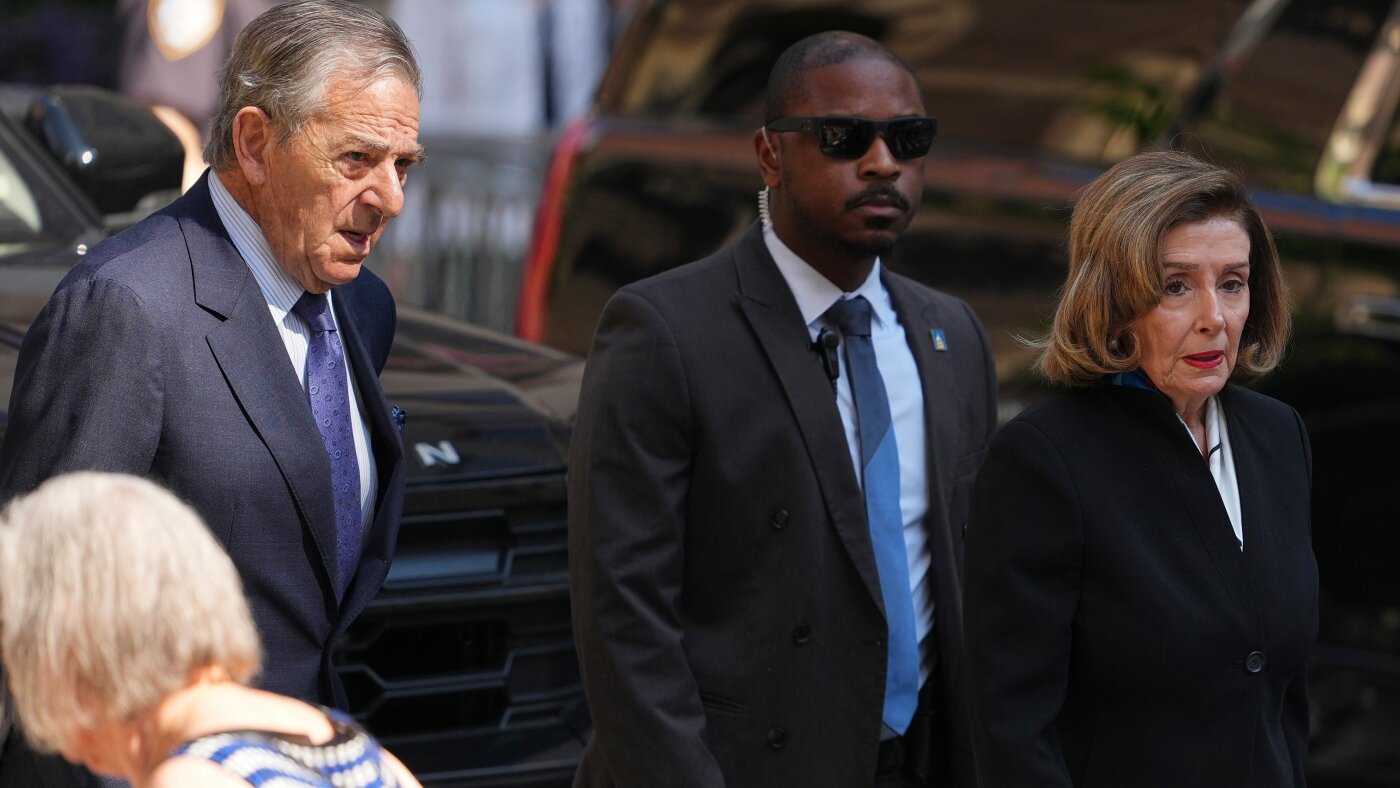
Paul Pelosi in hit-and-run in California, car left with major damage, authorities say
-

 Los Angeles, Ca2 hours ago
Firefighters battle Fourth of July blazes around Los Angeles
-

 Detroit, MI2 hours ago
Storm chances linger into the start of the week across Metro Detroit
-

 San Francisco, CA2 hours ago
Relay for America runs flag from San Francisco to D.C. in message of unity
-

 Dallas, TX2 hours ago
Cowboys newcomer already looks like a waste of money in Dallas
-

 Miami, FL2 hours ago
Police search for suspect after man is shot while on a boat near hotel in Fort Lauderdale on 4th of July
-

 Boston, MA2 hours ago
Sonny Gray shines again, and the Red Sox make it two straight wins at the Angels to start grinding road trip – The Boston Globe
-

 Denver, CO3 hours ago
Aldi expanding into Colorado, applies for permits at two Denver locations

