So far, 2025 has been a great year for watching new, must-see TV shows and movies on subscription services. But if you, like many of us, have more concurrent subscriptions than you care to admit, you’ll agree that keeping up with the latest each month is expensive. They may not cost as much as most of the tech we cover, but it adds up.
Technology
Here are the best streaming service deals available right now


If you’re trying to cut down on your expenses, you might be able to do so while holding onto your precious subscriptions. Attempting to cancel your service is a good way to see if you’ll be offered a cheaper monthly rate to stick around. Outside of that, several services offer ongoing promos, some of which are even available to new and returning subscribers alike. Below, we’ve curated some of the best deals going on right now, so you can enjoy streaming your favorite show or movie for less than it would typically cost you.
Note: keep an eye out for free trials and student discounts
Most streaming services offer free trials that typically last from a week to a month, whether you sign up for an annual membership or just a monthly subscription. However, you will likely have to provide your credit card information in advance, and you will be charged once your trial is over, so make a note in your calendar if you don’t want to be charged.
Some streaming platforms offer student discounts. These include Hulu, Paramount Plus, YouTube TV, Amazon Prime, and more. You’ll have to prove your student eligibility through a sign-up form and typically be enrolled in an accredited Title IV college or university to take advantage of these deals.

Peacock is NBCUniversal’s streaming service, one that offers next-day programming from NBC (and Bravo). The platform also provides access to live sports programming, including Sunday Night Football and WWE, as well as movies and shows like The Wild Robot, Conclave, Wicked, Oppenheimer, Yellowstone, Teacup, The Office, Saturday Night Live, Rian Johnson’s Poker Face, and the forthcoming The Office spinoff, The Paper.
The platform currently offers two plans: an ad-supported Peacock Premium tier for $7.99 a month (or $79.99 a year) or the ad-free Peacock Premium Plus tier for $13.99 a month (or $139.99 a year). Only the latter lets you download content for offline viewing.
In terms of deals, things are pretty dry right now. You can grab a complimentary subscription when you sign up for a year of Instacart Plus ($99 annually or $9.99 a month). You can also get free access if you’re an Xfinity Internet customer with gigabit speeds or a Diamond or Platinum Rewards member. If you’re a first responder or a medical professional (and are alright with your credentials being verified by SheerID), you can get Peacock’s monthly plan for $3.99 per month, which is a nice perk.
The best Disney Plus deals


$11
This bundle comes with ads and grants access to all of the shows and movies available in Hulu’s and Disney Plus’ library.
With Disney Plus, you can stream a wide range of shows and movies, including Star Wars: Skeleton Crew, Deadpool & Wolverine, Andor, X-Men ‘97, Your Friendly Neighborhood Spider-Man, and Taylor Swift’s Eras Tour film. A monthly subscription currently costs $9.99 a month with ads or $15.99 a month without (or $159.99 annually). The $15.99 per month service includes Dolby Atmos sound, as well as the ability to download TV shows and movies on up to 10 devices.
For just a dollar more, Disney offers an ad-supported, $10.99-a-month Duo Basic subscription that brings together Disney Plus and Hulu. To enjoy an ad-free experience across both services, the cost is $19.99 per month.
There’s also the $16.99-a-month Disney Bundle Trio Basic bundle, which includes the ad-supported Hulu and ESPN Plus (paying $26.99 a month nets you the ad-free version of Hulu and Disney Plus, though ESPN will still have ads). That’s cheaper than subscribing to all three streaming services individually, and is the wisest route to take if you want all three.
That being said, there are other ways to save, particularly with carrier promos. Those currently on one of Verizon’s Unlimited plans, for instance, can get Disney Plus Trio Basic with ads for $10 a month instead of $16.99. If you already subscribe to Verizon’s existing Legacy bundle, you can also continue to enjoy ad-free Disney Plus, as well as ad-supported ESPN Plus and Hulu, for $15 per month ($6 off).


$10
Hulu grants access to originals like The Handmaid’s Tale, as well as non-Hulu content like Shogun, The Bear, Futurama, Say Nothing, and Alien: Romulus. T-Mobile also offering complementary access to the Hulu-ad supported plan when you maintain a qualifying Go5G Next line.
Hulu offers both ad-supported and ad-free plans. No matter which you buy, you’ll be able to access all of Hulu’s TV shows and movies on multiple devices, including originals like The Handmaid’s Tale and Sand Land, as well as other content, like Shogun, The Bear, Futurama, and The Veil. It’s also where you’ll be able to watch the King of the Hill revival when it lands on August 4th. The service also allows two people to stream simultaneously, and you can have up to six user profiles. However, subscribing to the ad-free plan means you won’t have to deal with commercials; You’ll also be able to watch downloads offline.
The ad-supported plan currently costs $9.99 per month, while the ad-free plan costs $18.99 a month. Hulu also sells ad-free and ad-supported bundles that include Disney Plus and / or ESPN Plus, which are cheaper than subscribing to each service individually. With the Hulu with Live TV, Disney Plus, and ESPN Plus bundle, you’ll be able to access more than 90 live sports, news, and entertainment channels, as well as content from each of the streaming services. You’ll also be able to record live shows with unlimited DVR storage and take advantage of the same features the standard, ad-free, and ad-supported Hulu plans offer. The ad-supported Hulu with Live TV subscription is $82.99 a month, while the ad-free tier is $95.99 a month (though, it’s worth noting that, of the three services included, ESPN Plus will still have ads, even at this tier). Complicated, right?
However, if you just want Hulu and don’t need the live TV version, you can subscribe to the ad-supported Disney Bundle Duo Basic, which includes Disney Plus, for $10.99 a month. You can also add ESPN Plus for $16.99 per month, or get rid of ads and add live sports for $26.99 a month.
In terms of deals, students can subscribe to the ad-supported version for $1.99 a month or a bundle that combines Spotify Premium, Showtime, and ad-supported Hulu for $5.99 a month. Some wireless carriers are also offering customers discounts when they buy premium phone plans. As mentioned previously, those currently on one of Verizon’s Unlimited plans can get the Disney Plus Trio Basic with ads for $10 per month instead of $16.99. If you already subscribe to Verizon’s Legacy bundle, you can also continue to stream ad-free Disney Plus and ad-supported ESPN Plus / Hulu for $15 a month ($6 off). T-Mobile, meanwhile, is offers complimentary access to Hulu’s ad-supported tier when you maintain a qualifying Go5G Next line.


$23
Sling TV is a live TV streaming service featuring live and on-demand TV channels like CNN, Fox, NBC, Comedy Central, Cartoon Network, and more. It’s half off for your first month, if you aren’t already a subscriber.
Sling TV is a streaming service that functions as a more affordable alternative to YouTube TV and Hulu with Live TV. With it, you can watch a range of streaming services as well as live and on-demand channels — including ESPN, CNN, Fox, NBC, Comedy Central, and Cartoon Network — on multiple devices.
Sling offers an ad-supported free tier — Sling Freestream — which provides access to more than 500 live channels as well as more than 40,000 on-demand movies and TV shows. The platform also offers three paid plans, all of which come with 50 hours of DVR storage: Sling Blue ($50.99 a month); Sling Orange ($45.99 a month); and Sling Orange and Blue ($65.99 a month). Sling also lets you subscribe to Max as a Blue-tier add-on for a discount (totaling $57.97 per month), or you can buy an ad-free subscription to Max as a standalone service for $16.99 a month. For a limited time, Sling is including a one-month trial to AMC Plus with subscriptions — perfect if you’ve never seen Halt and Catch Fire.
If you’re into sports, you may want to opt for Sling Orange over Blue as it grants access to ESPN channels — but only on one device. Sling Blue, however, offers a number of channels Sling Orange lacks, including Fox News, MSNBC, E!, Discovery, Bravo, and local NBC or Fox affiliates. You can also subscribe to a bundle that includes both Sling Orange and Sling Blue, which offers all the channels featured in the first two plans.
Sling is currently offering new customers a 50 percent discount on their first month of Sling Orange, meaning you’ll pay $23 instead of $45.99. The promo also applies to Sling Blue, although it’s slightly more expensive at $25.50, down from $50.99. You can also get one month of Sling Orange and Sling Blue combined for $33 per month instead of $65.99. In addition to 50 percent off your first month, Sling is also offering free unlimited DVR during that period, along with a $5 discount on Paramount Plus with Showtime, AMC Plus, or Starz.
The best Apple TV Plus deals


$10
Apple’s streaming service has a variety of original programming, including live MLB games and standouts like Severance, Ted Lasso, Silo, and Coda. A subscription normally runs $9.99 per month with a seven-day free trial.
Apple TV Plus is a service operated by Apple that offers original shows and movies in 4K HDR, including Ted Lasso, The Studio, The Morning Show, Silo, Severance, Finch, Coda, For All Mankind, and Napoleon. The platform is also the streaming home to Major League Soccer, and currently costs $9.99 a month. There are no ads whatsoever on Apple TV Plus, except some skippable pre-roll advertisements for other Apple TV Plus content.
There are a couple of promos to make note of when it comes to Apple TV Plus. The service currently offers a weeklong free trial for new subscribers, after which you’ll be charged $9.99 a month. You can also get a free three-month subscription when you buy an Apple device, though you’ll have to redeem the offer within 90 days of purchase.
Apple TV Plus is also included in the larger Apple One suite of apps. The all-in-one service lets you bundle four other Apple services for a single monthly subscription starting at $19.95 a month. New subscribers will get a free month of Apple TV Plus if they include it as part of their Apple One membership. In addition, eligible individuals who sign up for the student Apple Music subscription, which starts at $5.99 per month, can get Apple Music for 50 percent off with a free Apple TV Plus subscription.
As far as carrier deals go, T-Mobile offers discounts on Apple TV Plus, as well as other streaming services. For instance, the wireless carrier is currently offering customers in the US complimentary access to Apple TV Plus when they subscribe to a qualifying Go5G Next line. For Verizon Unlimited customers, the option exists to get Apple One (which includes Apple TV Plus) for $10 per month ($9.95 off) for an individual plan, or $20 for a family plan ($5.95 off).


$17
Max provides access to shows like Furiosa: A Mad Max Saga, Dune: Prophecy, The Last of Us, The Penguin, — as well as films like Barbie and Dune — starting at $9.99 a month. AT&T offers complimentary access to the ad-free Max tier when you subscribe to a select AT&T Unlimited Choice or Plus plan, which starts at $60 per month.
Max, which will soon be rebranded as HBO Max this summer, is home to Game of Thrones and its spinoff, House of the Dragon, along with shows and movies like Furiosa: A Mad Max Saga, Dune: Prophecy, The Last of Us, Wonka, Euphoria, Hacks, Scavenger’s Reign, The Batman, Succession, and even content from Discovery Plus.
The platform offers an ad-supported tier that costs $9.99 a month and two ad-free plans that start at $16.99 a month. Unlike the ad-supported plan, the standard ad-free tier also lets you download 30 shows or movies for offline viewing. Max also offers a $20.99-a-month Premium plan, which allows you to stream in 4K and supports Dolby Atmos with select content. The latter plan also lets you stream on four devices simultaneously and download a maximum of 100 shows or movies to watch on the go.
Max offers an annual subscription and various bundles, both of which are cheaper than subscribing on a monthly basis. The ad-supported plan normally costs $99.99 a year, saving you a modest $19 over the course of 12 months, while subscribing to the annual ad-free base plan for $169.99 saves you $33. You can also save about $41 by subscribing to the annual 4K Premium ad-free plan for $209.99. Lastly, you can opt for the ad-supported bundle — which includes Max, Disney Plus, and Hulu — for $16.99 a month, or pay $13 extra to go ad-free. The total cost is cheaper than subscribing to each of the three individually, saving you money in the long run. A basic plan exists, with ads, for $9.99 per month.
Multiple wireless carriers are offering deals. You can, for instance, get a year of Netflix and Max when you purchase a 5G Home Plus, LTE Home Plus, Fios 1 Gig, or the Fios 2 Gig Verizon Home Internet (VHI) plan. Alternatively, Verizon is offering those with an Unlimited plan the ability to get Netflix and Max (with ads) for $10 a month (about $7 off).
AT&T also includes complimentary access to ad-free Max when you subscribe to select AT&T Unlimited Choice or Plus plans, which start at $60 a month. If you opt for Cricket’s Unlimited Plus 15GB Mobile Hotspot phone plan, which starts at $60 a month, you’ll also be able to get the ad-supported version of Max for free. Finally, you can get two months of Max free with DirectTV Stream or Satellite TV services.


$8
The well-known streaming service offers individual subscriptions starting at $7.99 a month as well as more premium tiers that allow for 4K resolution and additional users. T-Mobile is offering the ad-supported plan for free those on qualifying Go5G Next, Go5G Plus, and Magenta Max lines. This deal is also available to those on two or more qualifying Go56 and Magenta lines.
A Netflix subscription grants you access to thousands of movies and TV shows, as well as a limited number of mobile games. Notable shows and movies include Squid Game, Dan Da Dan, Baby Reindeer, The Witcher: Sirens of the Deep, Cobra Kai, Stranger Things, The Killer, and Arcane, among countless others.
The well-known streaming service currently offers three plans: Standard with ads ($7.99 per month), Standard without ads ($17.99 per month), and Premium ($24.99 per month). The premium tier allows for higher resolution, lets multiple users watch content on four devices at the same time as opposed to just two, and lets you download on six devices at a time as opposed to just two. It’s also the only plan that supports 4K HDR content, as well as spatial audio.
Netflix isn’t currently offering a discount, but T-Mobile is offering the ad-supported plan for free to those on qualifying Go5G Next and Go5G Plus lines. This deal is also available to those on qualifying Magenta Max lines, or for those who sign up to two or more Go56 and Magenta lines. As mentioned previously, you can also get a year of both Netflix and Max when you purchase one of the following Verizon Home internet plans: a 5G Home Plus, LTE Home Plus, Fios 1 Gig, or the Fios 2 Gig Verizon Home Internet (VHI) plan. Alternatively, Verizon is offering those with an Unlimited plan the ability to get Netflix and Max (with ads) for $10 per month ($6.98 off).
The best YouTube TV deals


YouTube TV grants subscribers access to live sports and a number of major news and entertainment channels, including PBS, Comedy Central, Nickelodeon, NBC, ABC, Fox, CNN, and more. It also comes with unlimited recording for a maximum of six accounts, all for $82.99 per month. You can buy optional add-ons as well, which range between $2 and $65 a month and include access to services like Max, Starz, and NBA League Pass. The service also offers a separate Spanish-only plan.
Now through July 31st, new subscribers can sign up for the YouTube TV Base Plan for $59.99 ($23 off) a month for the first two months. It’ll be free for 21 days as a trial.
The best Paramount Plus and Showtime deals


$8
The ad-supported Paramount Plus Essential plan provides access to a wide variety of shows and films, including Tales of the Teenage Mutant Ninja Turtles, the entire Yellowstone catalog, Top Gun: Maverick, and Bob Marley: One Love. Walmart Plus members can currently get it for free as a part of their plan.
Paramount Plus and Showtime provides access to live sports and 24/7 live news with CBS News. It also grants access to the entire Paramount Plus catalog, including shows like Tales of the Teenage Mutant Ninja Turtles and Yellowstone spinoff 1923, as well as films like Gladiator II and Top Gun: Maverick. You’ll also get access to Showtime’s library, which includes originals like Billions, Dexter: Resurrection, and Yellowjackets, as well as movies like Talk To Me and Past Lives.
If you want to subscribe to both Paramount Plus and Showtime, you can sign up for the ad-free Paramount Plus with Showtime package for $12.99 a month (it comes with a one-week trial). Alternatively, if you’re willing to pay upfront, you can save about $36 over the course of a year when you subscribe to the annual plan for $119.99 per year.
Alternatively, you can subscribe to Paramount Plus as a standalone service when you pay for Paramount Plus’ ad-supported Essential plan, which costs $7.99 per month (it, too, comes with a one-week trial for new subscribers). The annual plan, meanwhile, costs $59.99 per year, saving you $36 over the course of 12 months if you’re willing to pay upfront. Just bear in mind this plan offers fewer live sporting events than the Paramount Plus with Showtime package, and won’t let you download content for offline viewing.
In terms of deals, Walmart Plus subscribers can currently get the Essential plan for free as part of their subscription. College students can also subscribe to the Essential plan for $5.99 ($2 off) a month, while seniors with an AARP membership can get a 10 percent discount on the Essential plan or Paramount Plus with Showtime plan. Lastly, military members can get a 50 percent discount on a year of the Essential or Paramount Plus with Showtime plans.


$18
With Starz, you can stream movies like Asteroid City and Jurassic Park, as well as original shows like Outlander. Currently, the platform only offers one ad-free plan, which typically costs $10.99 a month.
With Starz, you can stream a variety of shows and movies, including John Wick: Chapter 4, M3GAN, and Asteroid City, as well as originals like Outlander and Sweetpea. The platform offers a single ad-free plan for $10.99 per month, which allows you to stream on up to four devices simultaneously and download content for offline viewing. Right now, however, new subscribers can get three months of Starz for $4.99 per month. Alternatively, you can sign up for a six-month plan for $17.99, a savings of $28.
The best Amazon Prime Video deals


$9
Amazon Prime members can take advantage of faster delivery as well as an assortment of other benefits. This includes Amazon Prime Video, which encompasses a wide range of movies, some live content, and shows like The Lord of the Rings: The Rings of Power. Customers of Metro By T-Mobile’s unlimited plan can get a free Amazon Prime membership, which provides access to Prime Video for free.
Amazon Prime Video is an on-demand streaming service owned by Amazon. Its library includes a range of movies, some live content, and shows like Fallout, The Lord of the Rings: The Rings of Power, The Boys, The Marvelous Mrs. Maisel, and more. Through the service, you can watch certain titles in 4K and take advantage of deals on rentals and purchases not included in the subscription. There’s also an option to add extra channels with Prime Video channels, or go ad-free for an additional $2.99 a month.
Amazon Prime Video is included with an Amazon Prime membership, though you can sign up for the service without a membership for $8.99 a month with ads or $11.98 without. Right now, customers of Metro By T-Mobile’s unlimited plan can also get a free Amazon Prime membership, which provides access to Prime Video and other benefits, for free.
Update, June 18th: Adjusted relevant pricing details, and added new, more relevant links within each service’s section.



A California jury determined that Elon Musk misled Twitter investors before making a $44 billion deal to buy the company in 2022, reports CNBC. The New York Times reports that Musk had testified this month that he didn’t believe his posts would spook markets, but he did say that “If this was a trial about whether I made stupid tweets, I would say I’m guilty.”
CNBC reports Musk’s attorneys are expected to file an appeal, as damages could reach as high as $2.6 billion, according to attorneys representing the plaintiffs.
While finding that Musk did not engage in a specific scheme to defraud shareholders, the jury cited two of Musk’s tweets, from May 13th and May 27th, 2022, as materially false or misleading, causing some investors to sell shares in Twitter at values below the $54.20 per share bid.
Twitter deal temporarily on hold pending details supporting calculation that spam/fake accounts do indeed represent less than 5% of users
20% fake/spam accounts, while 4 times what Twitter claims, could be *much* higher.
My offer was based on Twitter’s SEC filings being accurate.
Yesterday, Twitter’s CEO publicly refused to show proof of
This deal cannot move forward until he does.

NEWYou can now listen to Fox News articles!
Smart glasses are gaining new momentum thanks to artificial intelligence (AI). Companies like Google, Meta, Samsung and possibly Apple are exploring AI-powered glasses that combine cameras, speakers, voice assistants and computer vision in a wearable device.
At first glance, the features sound familiar. Smart glasses can take photos, give directions, answer questions and help you navigate the world hands-free. However, a recent demo hints at something much bigger.
These glasses may soon generate or alter photos instantly. In other words, the image you capture may no longer reflect what was actually there.
That raises an important question: If AI can change a photo the moment it is taken, how do we know what is real anymore?
Sign up for my FREE CyberGuy Report
Get my best tech tips, urgent security alerts, and exclusive deals delivered straight to your inbox. Plus, you’ll get instant access to my Ultimate Scam Survival Guide — free when you join my CYBERGUY.COM newsletter.
SMART GLASSES DETECTOR APP WARNS IF YOU’RE BEING RECORDED
Google product lead Dieter Bohn demonstrates prototype AI smart glasses during a demo showing how the device can capture and modify photos using generative AI. (X/ @backlon)
A new AI trick inside smart glasses
During a demo of upcoming smart glasses, Google’s Dieter Bohn showed how the device could capture a photo and modify it using AI. The prototype, shown as Android XR glasses with a display, connects to Google’s generative AI tools, including Google Gemini and an experimental image generator called Nano Banana.
In the demonstration, Bohn asked the glasses to take a photo of people in the room. Then he gave another command. He asked the system to place those people in front of the famous church in Barcelona that he could not remember by name.
Within moments, the AI produced a new image showing the group standing in front of the Sagrada Família. The people in the photo never traveled to Spain. The background came from AI. To someone viewing the image later, it could look like a real travel photo.
Smart glasses are following the same playbook
The hardware approach behind these devices looks similar across the industry.
Most smart glasses include:
- A built-in camera
- Speakers for audio feedback
- A microphone and a voice assistant
- Computer vision powered by AI
- Navigation and contextual information
- Optional displays inside the lenses
This design mirrors products like the Ray-Ban Meta Smart Glasses, which combine sunglasses with an AI assistant and camera. Those glasses already allow users to capture photos, livestream video and ask questions using voice commands. However, the editing tools currently available inside Meta’s glasses focus more on artistic effects. For example, the system can transform photos into a cartoon or painting style. The goal is creative expression rather than photorealistic manipulation. Google’s demo hints at something different. It shows how AI can place people into entirely new scenes that never happened.
INSIDE MICROSOFT’S AI CONTENT VERIFICATION PLAN
A close-up of prototype Android XR glasses with a built-in display, part of Google’s concept for AI-powered smart glasses. (X/ @backlon)
Why this matters for photography
AI-generated images already exist across social media. Smartphones have also introduced powerful editing tools. Google’s Pixel phones, for example, have leaned heavily into AI photography with tools that remove objects, adjust lighting and generate backgrounds.
The difference with smart glasses is speed. The technology removes the delay between taking a photo and editing it. Instead of capturing an image and opening editing software later, the AI can change the photo immediately. That could make altered images far more common. Photos that once served as proof of where someone was or what happened may become harder to trust.
The demo still leaves open questions
It is important to note that the Google demo was short and carefully staged. The company acknowledged that parts of the video were edited. That suggests the AI process may take longer in real-world conditions.
There is also the question of reliability. Generative AI tools sometimes produce mistakes, strange artifacts or unrealistic details. Still, even an imperfect system could change how people interact with cameras and images. As the technology improves, the gap between real and AI-generated photos may shrink.
What this means for you
Smart glasses could soon become another everyday device. That means the way we capture and share images may shift again. If these tools become common, you may start seeing photos that were generated or heavily modified by AI. A picture posted online may look like a real moment from someone’s life. In reality, it could be a mix of real people and AI-generated scenery. That does not mean every image is fake. It does mean digital images may carry less proof than they once did. Understanding how AI editing works can help you approach viral photos, travel shots or dramatic images with a healthy level of skepticism.
Ray-Ban Meta smart glasses combine cameras, speakers and an AI assistant, showing how wearable devices are bringing artificial intelligence into everyday eyewear. (Meta)
How to spot AI-generated or altered photos
AI editing tools are becoming easier to use. That means altered images may appear more often online. A few habits can help you avoid being misled.
1) Question images that look too perfect
If a photo looks unusually polished or dramatic, pause before assuming it is real. AI images often create scenes that feel cinematic or unusually clean.
2) Look closely at small details
AI systems sometimes struggle with small elements. Check hands, reflections, shadows and background objects for strange shapes or mismatched lighting.
3) Check where the image came from
If a photo spreads quickly online, try to trace the original source. Reverse image search can reveal if the picture appeared somewhere else first.
4) Be cautious with viral travel or event photos
AI tools can place people into locations they have never visited. A convincing background does not guarantee that the moment actually happened.
5) Watch for photos used in scams or misinformation
AI-generated images can appear in fake travel posts, romance scams or misleading news claims. If a photo appears alongside urgent requests for money or emotional stories, take time to verify it before reacting. Avoid clicking suspicious links and consider using strong antivirus software that can block malicious websites and scam pages before they load. Get my picks for the best 2026 antivirus protection winners for your Windows, Mac, Android & iOS devices at Cyberguy.com
6) Treat photos online as information, not proof
Photos once served as strong evidence of where someone was or what occurred. With generative AI, an image may be a mix of real people and computer-generated scenes.
Take my quiz: How safe is your online security?
Think your devices and data are truly protected? Take this quick quiz to see where your digital habits stand. From passwords to Wi-Fi settings, you’ll get a personalized breakdown of what you’re doing right and what needs improvement. Take my Quiz here: Cyberguy.com
Kurt’s key takeaways
Smart glasses promise convenience, hands-free computing and powerful AI tools. At the same time, they blur the line between photography and digital creation. Technology keeps pushing toward a world where capturing a moment and generating one can happen in the same instant. The devices themselves may become smaller and smarter. The challenge may be deciding how much we trust the images they produce.
So here is the question worth asking. If AI glasses can create realistic photos of places you’ve never visited, will pictures still count as proof of reality? Let us know by writing to us at Cyberguy.com
CLICK HERE TO DOWNLOAD THE FOX NEWS APP
Sign up for my FREE CyberGuy Report
Get my best tech tips, urgent security alerts, and exclusive deals delivered straight to your inbox. Plus, you’ll get instant access to my Ultimate Scam Survival Guide — free when you join my CYBERGUY.COM newsletter.
Copyright 2026 CyberGuy.com. All rights reserved.
Technology
Microsoft is ending the Windows Update nightmare — and letting you pause them indefinitely

While Microsoft isn’t doing away with automatic updates entirely, Windows boss Pavan Davuluri is promising that in future, you’ll be able to pause them “for as long as you need.” You’ll be able to reboot or shut down your computer “without being forced to install them.” To be fair to Microsoft, I’ve seen an option to reboot or shutdown without updating for a while now.
Even if you fail to pause them, you’ll only have to reboot your computer once a month, Microsoft promises — though its says you’ll be able to get updates faster if you wish. If you’re the kind of user who wants new features so quickly that you’re part of the Windows Insider Program, Microsoft says it’ll make that easier and make it clearer what you’ll get.
And as part of those updates, Microsoft says that this year, it will improve performance, responsiveness and stability, reduce memory consumption, make File Explorer and other apps launch and run faster, reduce crashes, improve drivers, make devices wake up more reliably, and much, much more.
It feels like Microsoft has also taken our feedback about the recent ridiculous hour-plus setup process for some Windows handhelds and laptops to heart. Davuluri writes that we’ll have “the ability to skip updates during device setup to get to the desktop faster.” And even if you sit through, there should be “fewer pages and reboots to getting started is simpler.” Plus, Microsoft will finally let you use gamepad controls to create your PIN during setup, instead of making you smudge the touchscreen.
Bravo, Microsoft, if this is all true, and if you can implement it in a reasonable length of time.
Davuluri writes that his team has spent months analyzing the feedback of Windows users, and “What came through was the voice of people who care deeply about Windows and want it to be better.”

Rhode Island38 seconds ago
Where to watch Alabama vs. Rhode Island in March Madness First Round: Time, TV Channel

South-Carolina7 minutes ago
South Carolina vs Southern University predictions, picks, odds for NCAA Tournament First Round

South Dakota13 minutes ago
Washington vs. South Dakota State – First round NCAA tournament extended highlights

Tennessee19 minutes ago
NC State advances past Tennessee, 76-61

Texas25 minutes ago
No. 23 Texas A&M Drops Home SEC Opener To No. 7 Georgia

Florida1 year ago
Florida High School Football Rankings: Top 25 teams – Oct. 21

Oregon2 years ago
How old is Bo Nix? What to know about Oregon quarterback ahead of 2024 NFL Draft

Connecticut2 years ago
Cleary's 21 help Le Moyne down Central Connecticut State 69-64 in OT

Virginia2 years ago
99th annual Pony Swim held in Virginia

Indiana2 years ago
Indiana Members Credit Union announced as new anchor tenant at Bottleworks District

News2 hours ago
Read the Ruling in The Times’s Lawsuit Against the Pentagon

Politics3 hours ago
NYC Mayor Mamdani’s wife glorified terrorists in online posts, criticized US military: report

World4 hours ago
Curro Rodríguez: from bankruptcy to global water empire
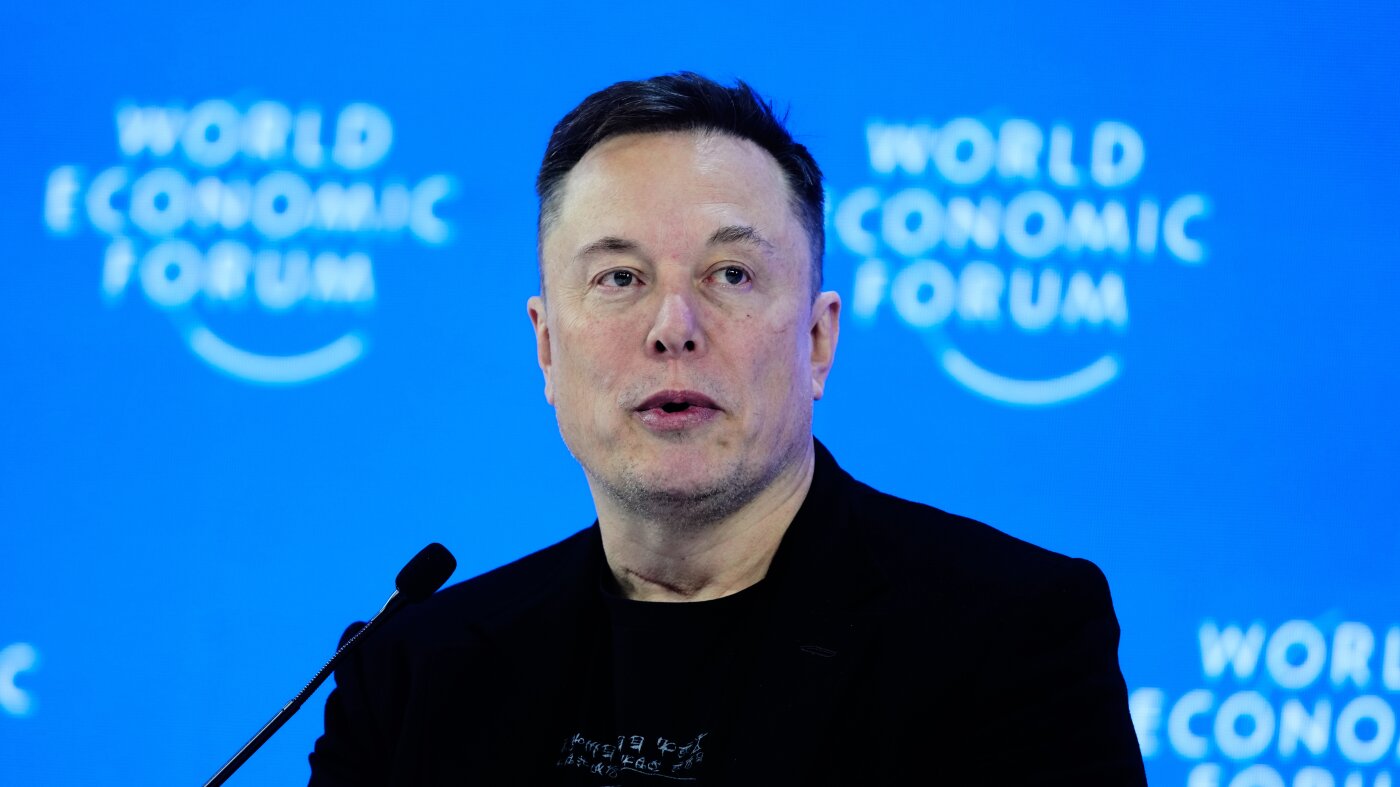
News5 hours ago
Jury finds Elon Musk misled investors during Twitter purchase

Politics15 hours ago
Pritzker pushes prosecutions of Trump officials as part of Dem ‘Project 2029’ agenda
-

 Detroit, MI2 days ago
Drummer Brian Pastoria, longtime Detroit music advocate, dies at 68
-

 Oklahoma7 days ago
Family rallies around Oklahoma father after head-on crash
-

 Nebraska1 week ago
Wildfire forces immediate evacuation order for Farnam residents
-

 Georgia5 days ago
How ICE plans for a detention warehouse pushed a Georgia town to fight back | CNN Politics
-

 Massachusetts1 week ago
Massachusetts community colleges to launch apprenticeship degree programs – The Boston Globe
-

 Alaska6 days ago
Police looking for man considered ‘armed and dangerous’
-

 Colorado1 week ago
‘It’s Not a Penalty’: Bednar Rips Officials For MacKinnon Ejection | Colorado Hockey Now
-

 Southwest1 week ago
Talarico reportedly knew Colbert interview wouldn’t air on TV before he left to film it