In addition to the Surface Pro and Surface Laptop, Microsoft announced a crop of Copilot Plus PCs from all the major OEMs. Here are all the Copilot Plus PCs announced at Microsoft’s Surface event on Monday.
Technology
A lot of new Copilot Plus PCs will hit shelves starting in June

/cdn.vox-cdn.com/uploads/chorus_asset/file/25456799/lcimg_2c03ed43_c1df_414a_9e67_8100cdf3d526.jpeg?ssl=1 "A lot of new Copilot Plus PCs will hit shelves starting in June")
Acer Swift 14 AI
Not to be confused with the other Swift 14 laptops with AI chips, the Swift 14 AI is the only one with a Qualcomm Snapdragon X series processor. This one comes with either the base 12-core Snapdragon X Elite chip or the 10-core X Plus chip and goes up to 32GB of memory and 1TB of M.2 SSD storage.
Asus Vivobook S 15
Asus is starting its Copilot PC adventure with its Vivobook S 15. It will have two Qualcomm processor options — the base 12-core Snapdragon X Elite and 10-core Snapdragon X Plus — and both options will support 32GB onboard memory and 1TB of PCIe 4.0 SSD.
Dell XPS, Inspiron, and Latitude
Dell is releasing five Copilot Plus PCs with Snapdragon this year, starting with the XPS 13 and Inspiron 14 Plus (7441). The XPS will be configured with a midtier Snapdragon X Elite chip and up to 64GB of memory and 2TB of PCIe SSD storage and will have three display options: two IPS, one touch-enabled; and one OLED that’s also a touchscreen. The OLED will have the highest resolution — but lowest refresh rate — out of the display options.
Meanwhile, the Inspiron will have the Snapdragon X Plus, support up to 32GB of memory and up to 1TB of M.2 2230 SSD storage, and only one display option, an IPS touchscreen. The Dell Latitude 7455 will have both Snapdragon X Elite and Plus options with support for up to 32GB of memory and 1TB of M.2 2230 SSD storage.
HP OmniBook and EliteBook Ultra
Along with HP’s ProBook, its OmniBook and Elitebook have replaced its now-former Envy, Pavilion, and Dragonfly series in a huge renaming effort to clean up and organize HP’s laptop portfolio. The Omibooks will be the consumer-focused devices, while the Elitebooks will be commercial, or business-focused.
HP will start shipping its new OmniBook X AI and EliteBook Ultra AI next month, and their configurations will include a 12-core Snapdragon X Elite processor. The Elitebook only goes up to 16 GB of memory, but the OmniBook can handle up to 32GB.
Lenovo Yoga Slim and ThinkPad
The Lenovo Yoga Slim 7x 14 and ThinkPad 14s will come with Snapdragon X Elite processors. The Yoga Slim will be the cheaper of the two due to the lack of Enterprise features that come with the business-oriented ThinkPad. Both will have OLED displays, but the ThinkPad will support up to 64GB of memory, while the Yoga Slim will support up to only 32GB.
Microsoft Surface Pro and Surface Laptop 6
The first Microsoft device to get its own Copilot Plus treatment is the Surface Pro. You’ll be able to get it with either the Snapdragon X Elite or X Plus processor, optional 5G connectivity, and either an IPS or OLED display.
There’s also the Surface Laptop 6, which also comes with either the Elite or Plus Snapdragon chips, and up to 64GB of memory and 1TB of SSD storage.
Samsung Galaxy Book4 Edge
Samsung’s first three Copilot Plus PCs are all under the name Galaxy Book4 Edge. There’s one 14-inch model and two 16-inch models, all with Snapdragon X Elite processors, 2880 x 1800 AMOLED touchscreens, and 16GB of RAM.
All of these PCs are available for preorder now and will start shipping on June 18th.

Continue Reading

NEWYou can now listen to Fox News articles!
Amazon is getting ready for Prime Day, and you can bet scammers are, too. In fact, I received a fake Amazon email that looked like an account recovery warning. It claimed there was unusual activity on my account and pushed me to “Sign In to Verify.”
That kind of message can make anyone uneasy. It certainly did for me. After all, who wants to lose access to an account right before a major sale? Then came the part that really stood out: the email said I might need to upload a document to confirm my account.
That was the giveaway. A real deal can save you money. A fake Amazon email can cost you your login, your payment details and even your identity.
Here’s how this scam works, the red flags that exposed it and the steps you should take before clicking any Amazon account warning.
Sign up for my FREE CyberGuy Report
- Get my best tech tips, urgent security alerts and exclusive deals delivered straight to your inbox.
- For simple, real-world ways to spot scams early and stay protected, visit CyberGuy.com – trusted by millions who watch CyberGuy on TV daily.
- Plus, you’ll get instant access to my Ultimate Scam Survival Guide free when you join.
A fake Amazon account recovery email is targeting shoppers ahead of Prime Day, using urgency and document requests to steal sensitive information. (Photographer: David Paul Morris/Bloomberg via Getty Images)
Fake Amazon email warning before Prime Day
The timing made this phishing email more convincing. With Prime Day coming up, many people are already watching for Amazon emails. They may be checking delivery updates, deal alerts and order confirmations. That creates the perfect opening for a fake account warning.
The email used the same tricks you see in many phishing scams. It claimed there was account trouble, used urgent language and pushed me toward a sign-in button. That is exactly what scammers want.
Screenshot of scam fake Amazon email (Kurt “CyberGuy” Knutsson)
They want you to react before you inspect the message. They want you to sign in before you think through the request. And in this case, they wanted me to believe a document upload was part of a normal Amazon account check.
Amazon phishing scam red flags
This fake Amazon email had several warning signs. First, it landed in my junk folder. That alone does not prove fraud, but it should make you cautious.
Second, the subject line sounded awkward. It said, “Account Recovery: Sign-in and Verify your Amazon account.” That wording felt stiff and a little off.
Third, the greeting was generic. The email said “Dear Customer” even though it claimed to be about my Amazon account. That alone does not prove the email is fake, but it adds to the concern.
Fourth, the message created urgency. It claimed the account was on hold and that orders or subscriptions had already been canceled.
Fifth, the sender display name said “Amazon,” while the address appeared as account_update@amazon.com. That may look official at first. Still, scammers can spoof sender names or make email addresses look convincing.
Under the yellow “Sign In to Verify” button, the email also says, “Don’t share it with others.” That may sound protective, but in this context, it felt like another attempt to make the fake warning seem official.
The biggest warning sign came from the document request. The email said I would have the option to upload a document with the required information to verify the account.
That should stop you cold. Scammers may be after more than your Amazon password. They may also want your driver’s license, passport, address, phone number or payment details.
Screenshot of fake Amazon email sender address (Kurt “CyberGuy” Knutsson)
Why fake Amazon account emails fool shoppers
This scam works because it hits a very real fear. Most people do not want to lose access to an online shopping account. That concern grows when a big sale is about to start. If you are planning to buy something on Prime Day, an account warning can feel urgent.
The email also borrowed Amazon’s familiar look. It used the Amazon name, a logo area and a yellow sign-in button. It also included a footer that appeared to show an Amazon.com link. That can make the message feel safer than it really is.
Here is the problem. The visible link text in an email can mislead you. A link can appear to point to Amazon while sending you somewhere else. It can also pass through tracking links, redirects or look-alike pages. That is why you should avoid signing in through any account warning email.
120,000 FAKE SITES FUEL AMAZON PRIME DAY SCAMS
Scammers are impersonating Amazon with convincing account alerts designed to capture login credentials, payment details and personal documents. (Photographer: Michael Nagle/Bloomberg via Getty Images)
What happens if you click a fake Amazon link
If you click the link, you may land on a fake Amazon sign-in page. It may look close enough to fool you. Once you enter your email and password, scammers can try to access your real Amazon account. They may check your saved payment methods, shipping addresses and order history.
They may also try that same password on other websites. That becomes a bigger risk if you reuse passwords.
The document request adds another layer of danger. If a fake page asks for your ID, scammers could use that information for identity theft, account takeovers or other fraud. That is why one quick click can turn into a much bigger mess.
Ways to stay safe from fake Amazon emails
A fake Amazon email can look convincing at first, so the best move is to slow down and use these simple checks before you click, sign in or share anything.
1) Do not click the sign-in button
Skip buttons like “Sign In to Verify,” “View details” or “Restore access.” Open the Amazon app or type Amazon.com into your browser yourself.
2) Check Amazon’s Message Center
After signing in directly, go to Your Account > Message Center. If the alert is real, you should see a matching message there.
3) Watch for pressure language
Scammers often say your account is locked, your orders were canceled, or you must act right away. That pressure is designed to make you click before thinking.
4) Never upload ID through an email link
If an email asks for a passport, driver’s license or other document, stop. Contact Amazon through the app or website before sending anything.
5) Use a password manager
A password manager can help you spot fake login pages. If the page is fake, your saved Amazon password usually will not autofill. Check out the best expert-reviewed password managers of 2026 at CyberGuy.com.
6) Turn on two-step verification
7) Use strong antivirus software
Install strong antivirus software on your computer, phone and tablet. Good security software can help detect malicious links, phishing pages, malware and other threats before they do damage. This is especially important if you clicked a suspicious link or downloaded anything from a fake email. Security software should back up your smart habits, not replace them. Get my picks for the best 2026 antivirus protection winners for your Windows, Mac, Android and iOS devices at CyberGuy.com.
8) Use a data removal service
Scammers often build more convincing attacks with information they find about you online. That can include your name, address, phone number, relatives, old usernames and other personal details from people-search sites and data brokers. A data removal service can help remove your personal information from many of those sites. That makes it harder for scammers to personalize phishing emails and identity theft attempts. Check out my top picks for data removal services and get a free scan to find out if your personal information is already out on the web by visiting CyberGuy.com.
9) Report the suspicious email
Forward suspicious Amazon emails to reportascam@amazon.com. Then delete the message from your inbox or junk folder.
JANUARY SCAMS SURGE: WHY FRAUD SPIKES AT THE START OF THE YEAR
Cybersecurity experts warn consumers to avoid clicking links in Amazon account warning emails and verify alerts directly through Amazon. (David Paul Morris/Bloomberg via Getty Images)
Kurt’s key takeaways
Prime Day is a great time to find real deals, but it is also a busy season for fake Amazon emails. Scammers know shoppers are checking delivery updates, watching for discounts and hoping nothing gets in the way of a good buy. That is what made this email so sneaky. It used a familiar fear at the perfect moment: losing access to your account right before a major sale. The safest move is to slow down before you click. Do not trust the button. Do not trust the sender name alone. Open the Amazon app or type Amazon.com into your browser and check your account yourself.
Have you ever received an email that looked official enough to make you click, and what finally made you stop? Let us know by writing to us at CyberGuy.com.
CLICK HERE TO DOWNLOAD THE FOX NEWS APP
Sign up for my FREE CyberGuy Report
- Get my best tech tips, urgent security alerts and exclusive deals delivered straight to your inbox.
- For simple, real-world ways to spot scams early and stay protected, visit CyberGuy.com – trusted by millions who watch CyberGuy on TV daily.
- Plus, you’ll get instant access to my Ultimate Scam Survival Guide free when you join.
HOW TO DETECT FAKE AMAZON EMAILS AND AVOID IMPERSONATION SCAMS
Copyright 2026 CyberGuy.com. All rights reserved.

Anthropic just released Claude Fable 5, calling it the most powerful AI model it has ever made widely available and praising its skills in biology, among others. But the model won’t answer basic biology questions — the kind you’d expect a high schooler to handle. Instead, it hands off the query to the former flagship model, Claude Opus 4.8.
It isn’t because Fable doesn’t know the answers. It’s because Anthropic won’t let it, by design.
Fable is a public-facing, Mythos-class model, a family so capable at cybersecurity tasks Anthropic said it was too dangerous to release publicly. But while Anthropic has spent much of the extended Mythos rollout warning about cybersecurity, it is biology where Fable’s guardrails are the most obvious — and most limiting.
When I tried the model, it refused to answer a range of basic biology questions, many that felt about as far away from any plausible safety risk as any question could be. It would not respond to “tell me about cell membranes” or answer “what are mitochondria,” that famous powerhouse of the cell. It refused to explain “what is a prion,” the proteinaceous particles behind mad cow disease, or “how mRNA vaccines work.”
“We made this tradeoff so customers could benefit from the model’s capabilities sooner without the risks.”
The restrictions applied to ordinary and objectively rather harmless medical queries too. Fable would not answer “what causes hay fever,” explain how asthma medicine works, explain how antibiotic resistance arises, or tell me what Ebola is and how it spreads. Some of my basic queries occasionally got through, with Fable answering questions like “what is cancer” and “what is DNA.” When Fable refused, Opus 4.8 generally answered perfectly well.
Anthropic says the broad biology filters are an intentional choice and are deliberately conservative, with bioweapons the primary concern. “With the launch of Claude Fable 5, our first Mythos-class model, we believe models now have a greater ability to accomplish real-world scientific tasks and for malicious actors to potentially use our models for highly risky biological research,” spokesperson Paruul Maheshwary told The Verge. “We have always used classifiers to block our models from helping with bioweapons-related requests. To deploy Fable 5 safely, we believe it was necessary to be overly conservative with our safeguards so they block most queries tied to biology work.”
Anthropic has previously highlighted four key areas where it would throttle Fable’s responses for safety: chemistry, biology, cybersecurity, and distillation, a technique for training smaller AIs using the outputs of larger ones. The company has accused Chinese rivals like DeepSeek of using distillation on its models on an “industrial” scale.
While I could not meaningfully test distillation, Fable seemed more willing to answer questions about chemistry and cybersecurity. For example, it gave a basic overview of the explosive TNT, though withheld synthesis instructions “for obvious reasons.” It readily answered questions on the use of chlorine gas as a chemical weapon, common password threats, and nuclear fusion and fission, as well as explaining how to secure an iPhone from hackers. It still limits: Fable deferred to Opus when I asked it about sarin gas, a highly toxic nerve agent. Fable and Opus both refused the prompt “how to make anthrax,” and Claude paused the chat entirely. That made sense. The mitochondria prompt refusal seems like a false positive.
“We made this tradeoff so customers could benefit from the model’s capabilities sooner without the risks,” Maheshwary explained, adding that Anthropic is working hard to improve its detection and reduce the false positives. “We intend to make Mythos-class models available without these safeguards to the broader biology and life sciences community so these capabilities can be used to accelerate biomedical research and drug discovery.”
Anthropic did not answer questions about whether this kind of restricted release will become the new norm for future models.
Follow topics and authors from this story to see more like this in your personalized homepage feed and to receive email updates.

Texas mom jailed over dirty water Facebook post
Jennifer Combs says she was arrested on a felony charge after using Facebook to collect reports about water concerns in Trinidad, Texas. A grand jury later declined to indict her. (Kurt “CyberGuy” Knutsson)
NEWYou can now listen to Fox News articles!
Jennifer Combs says she never set out to become the face of a fight over free speech, dirty water and small-town power. She says she was simply trying to help people in Trinidad, Texas, report problems with their water. Some residents had complained about discoloration, sediment, odors and health concerns. So Combs used her Southern Belle Watch Facebook page to collect reports and send them to the state.
Then, according to Combs, the situation took a turn that still sounds hard to believe. She says police came to her home and arrested her on a felony warrant over a Facebook post.
“I’ve never even had a speeding ticket,” Combs said. “I’m a mom of four kids. I have one grandbaby right now. I have two more grandbabies on the way.”
Now, Combs says her arrest has become about something much bigger than one Facebook post.
HOW I WAS TRICKED AND LOCKED OUT OF FACEBOOK AFTER BEING HACKED
Jennifer Combs says she was arrested on a felony charge after using Facebook to collect reports about water concerns in Trinidad, Texas. A grand jury later declined to indict her. (Kurt “CyberGuy” Knutsson)
Join CyberGuy Live: Lock Down Your Phone in 30 Minutes (Saturday, June 13, 10 am ET)
Your phone holds your email, passwords, photos, banking apps and personal data. In this free, live online class, Kurt the CyberGuy will walk you step by step through simple phone security fixes you can do in real time. You’ll learn how to improve your privacy settings, spot the latest phone scams, use trusted security tools and walk away with a simple checklist to stay protected. Register here: CyberGuyLive.com.
Why Jennifer Combs started asking about Trinidad water
Jennifer sat down with me for my CyberGuy Report podcast at CyberguyPodcast.com to explain what happened, why she started asking questions and what she wants other communities to learn from her ordeal.
Combs says she got involved after seeing a post from an older woman who needed help buying bottled water. According to Combs, the woman was on a fixed income and had already spent part of her monthly money on bottled water. Combs said the woman claimed her doctor had told her not to cook with or drink the tap water. That moment stuck with her.
11 EASY WAYS TO PROTECT YOUR ONLINE PRIVACY IN 2025
“I’m a firm, firm person on transparency,” Combs said. “I stand on it. I think if you’re going to be in government, there should be zero reasons for you not to be transparent with your people that elected you to be there.”
So she started collecting complaints. Her plan was simple. If residents shared their water issues, she could pass those reports to the state. That way, inspectors would know where to look.
Trinidad water complaints had been building
Combs says the water issue had been going on for years in parts of Trinidad. “That’s real. That’s not AI. That is absolutely very real,” Combs said when asked about images of the water.
She said some residents did not want to speak publicly because they feared backlash. “A lot of them wanted to be able to message me anonymously, because the retaliation in Trinidad is very, very real,” Combs said.
That is why she created a place where people could quietly share reports. She says she wanted to collect the information, map the affected areas and send everything to the state.
The Facebook post behind the arrest
Combs read the Facebook post during our conversation. In it, she said her page had received reports that some citizens had been hospitalized due to bacteria in the water. She called it “a serious public health concern that deserves immediate attention.”
The post asked residents to message the page if their water looked discolored, contained sediment, had a strong odor or if they had related health concerns. It also asked for general neighborhood areas, photos, videos, dates and times.
Combs says the post was later removed by Facebook after it was reported by a select group of people from the community and flagged, though she says Facebook did not tell her why. But before it came down, she says, then-Trinidad Police Chief Charles Gregory had taken a screenshot of it and posted it on the Trinidad Police Department Facebook page, accusing her of making a false report.
“I never filed a report with the police department,” Combs said. “I only filed a report with the state of Texas with the water.” She says she was gathering community reports about the water and sending them to the state. That distinction is important because it raises questions about why a public health complaint on Facebook became a police matter. We reached out to Meta, Facebook’s parent company, for comment, but did not hear back before our deadline.
Trinidad hired a contractor to handle water issues
Combs says the city had hired a contractor to help manage the water problem. She said boil notices listed his number, so residents were often directed to call him instead of City Hall when they had water concerns. According to Combs, that created even more frustration. She said residents still felt they were not getting clear answers, and some began sending complaints to her instead.
Later in our conversation, Combs said the person who made the complaint that led to her arrest was the same contractor paid by the city to address the water problem. “Do you want to know who that someone is?” Combs said. “That someone that made the call report is the contractor that’s paid by the city to fix the water.”
That detail adds another layer to the story. The person hired to help solve the water issue, according to Combs, was also the person who reported her for collecting complaints about it.
FACIAL RECOGNITION JAILS INNOCENT GRANDMOTHER, ATTORNEY SAYS
Police arrested Jennifer Combs at her home
Combs says this all came to a head on April 6. Two officers came to her home in Kearns, Texas, about eight miles from Trinidad. She says they told her she had a felony arrest warrant from Henderson County.
“I said, ‘Oh, what? What do you mean?’” Combs said. “And they said, ‘Yeah, you have a felony arrest warrant. We have to take you to Navarro County Jail.’”
Then she was handcuffed in her front yard. “To be handcuffed in my front yard and taken to jail and spend 23 hours in jail before I could get out was very traumatic,” Combs said. “It was insane.”
Combs says she was charged with a felony false report tied to public panic over the water system. “I was just in disbelief, in absolute disbelief,” she said.
Residents said the water reports were real
Combs says Gregory later doubled down on Facebook and defended the decision to arrest her. But Combs says the part that still bothers her is what happened after Gregory posted about her online. According to Combs, some of the same residents who had contacted her then commented on the police department’s post to say the reports were real.
“The people that had made the reports to me commented on there, and they never even interviewed them,” Combs said. “They never even talked to them. But they literally commented on his own post saying, ‘Hey, this really happened.’”
That raises a basic question. If residents were saying the reports were real, why treat the person collecting those reports like a criminal?
Grand jury declines to indict Jennifer Combs
After Combs arrest, the costs started adding up. She says her husband had to bail her out, and the legal bills started soon after. “It’s $2,500,” Combs said about the bail amount. “So he had to pay 300 and something to get me out of jail. And then we’ve had to pay attorney fees.”
Combs says the felony charge eventually went before a grand jury. The grand jury no-billed the case, meaning it did not indict her. “The grand jury said no bill. Absolutely no part of this,” Combs said. “No bill, not enough evidence.”
That meant the charge was no longer hanging over her head. Still, Combs said her attorney had to keep working through the process of getting it removed. By then, the damage had already been done. Combs had spent nearly a day in jail. Her husband had to bail her out. She had to hire a lawyer. And her name had been tied to a felony allegation over a Facebook post about water.
Trinidad water fight took another turn
Combs says the fallout did not stop with her arrest. After she was arrested, a man she identified as Otto the Watchdog protested outside Trinidad City Hall. Combs says he was handcuffed and put in a police car for disorderly conduct because officials claimed he offended a water clerk.
Then, according to Combs, the water clerk said she was not offended. “The water clerk is fired because she would not sign a statement that said she was offended,” Combs said.
Combs says a judge later dropped the disorderly conduct issue involving the protester. Then, she says, the city fired that judge. “The judge dropped it. They fired the judge,” Combs said.
She also said the city attorney was fired the same night. Yet Combs says it happened during a recorded city council meeting with cameras in the room.
MICROSOFT CROSSES PRIVACY LINE FEW EXPECTED
A Texas mother says her effort to document residents’ complaints about discolored and contaminated water led to a felony arrest and nearly a day in jail. (Kurt “CyberGuy” Knutsson)
City of Trinidad responds to request for comment
CyberGuy requested comment from the City of Trinidad. Zachary Smith, an associate attorney with Iglesias Law Firm, responded on behalf of the city and said the firm represents Trinidad. “We recognize that the public wants answers, and that is not lost on us or our clients,” Smith wrote.
Smith said the city is leaving the details to the legal process. “Because lawsuits have been filed, our clients are not able to comment on the specifics at this time. As you know, this is standard practice in active litigation,” Smith wrote.
He also defended the city’s position. “The claims against the City of Trinidad will be answered where they belong, in a court of law,” Smith wrote. “The officials who serve this community have acted, and continue to act, in the best interests of the people of Trinidad. We look forward to addressing these claims fully during the litigation process.”
Why the Trinidad water story raises free speech concerns
People complain online about local problems every day. They post about roads, trash pickup, schools, taxes, crime and public utilities. Some posts are emotional. Some include claims that still need to be checked. But that does not mean a citizen should be treated like a criminal for asking questions.
Combs said it best. “You have the right to question what anybody is doing,” she said. “You have the right to figure out what is in your water, what you’re drinking.”
Then she added one line that says a lot about her. “I’m never going to tell people, ‘Oh, just keep your mouth shut. Don’t say anything and just be quiet.’ That’s not me. I don’t hush very well.
Jennifer Combs wants answers for Trinidad
Combs says the water problem still needs outside attention. She said the mayor went on national TV and asked for the Texas Rangers to step in. Combs also said she had reached out for support.
“I need someone to help,” Combs said. “It’s insane. It’s not going to get fixed the way it is.” She said people in Trinidad have waited long enough.
“They’ve had all of these years to do it,” Combs said. “And now you’re putting people in jail for talking about it.” That is the part that should make all of us pay attention. If people are afraid to speak up about water, what else will they stay quiet about?
What Jennifer Combs wants people to know
At the end of our conversation, I asked Combs what message she has for people who speak out online about local issues. Her answer was direct.
“I think people that speak out for their communities are extremely brave,” Combs said. “So I’m never going to not tell people to speak out.”
She also said people should not let her experience scare them into silence. “You can’t let what happened to me prevent you from standing up and doing what’s right to people,” Combs said. “You can’t because then there’s no good people left.”
How to protect yourself when posting on Facebook
Facebook can be a powerful way to raise local concerns, but you should think carefully before posting. If your goal is to alert the public, a public post can help more people see it. If you are still gathering information, a private group or direct messages may be safer while you verify what residents are reporting.
Before you post, save screenshots of your draft, your final post and any comments that support what you wrote. If Facebook removes the post or someone reports it, you still have a record of the exact wording.
Also, protect people who contact you. Ask for photos, dates, times and general locations, but avoid sharing exact addresses, phone numbers or medical details without permission. You can show a pattern without exposing someone’s private information.
Finally, be clear about what you know and what you are still trying to confirm. Use phrases like “residents reported,” “according to messages sent to me,” or “we are asking the state to review this.” That can help show you are collecting community concerns, not claiming every detail has already been proven.
HOW SURVEILLANCE TECH LED POLICE TO ACCUSE THE WRONG PERSON
Jennifer Combs argues her arrest over a Facebook post raises broader concerns about free speech, government transparency and public accountability. (Kurt “CyberGuy” Knutsson)
Kurt’s key takeaways
Jennifer Combs says she wanted clean water, transparency and answers. Instead, she says she was handcuffed in her front yard and spent the night in jail. That should concern anyone who has ever posted a complaint about a local issue online. When people question public officials, those officials should respond with records, facts and accountability. They should not turn criticism into a police matter. This story also shows why local journalism and citizen watchdogs still have power. Small towns can have big problems. Sometimes the person asking the uncomfortable question is the one doing the public a favor. The bigger question is simple: If a Facebook post about dirty water can lead to a felony arrest, what would stop another local government from trying the same thing? To hear Jennifer tell her story in her own words, check out The CyberGuy Report podcast at CyberguyPodcast.com.
Have you ever spoken up about a local problem and felt ignored, intimidated or brushed aside? Let us know by writing to us at CyberGuy.com.
Sign up for my FREE CyberGuy Report
CLICK HERE TO DOWNLOAD THE FOX NEWS APP
- Get my best tech tips, urgent security alerts and exclusive deals delivered straight to your inbox.
- For simple, real-world ways to spot scams early and stay protected, visit CyberGuy.com – trusted by millions who watch CyberGuy on TV daily.
- Plus, you’ll get instant access to my Ultimate Scam Survival Guide free when you join.
Copyright 2026 CyberGuy.com. All rights reserved.
-

 Technology3 minutes ago
Do not click fake ‘account recovery’ Amazon email
-
 Business8 minutes ago
The FBI serves a search warrant at the Garden Grove chemical plant
-
 Entertainment15 minutes ago
Bill Cody, the voice of WSM Radio and the Grand Ole Opry, dies at 67
-

 Lifestyle18 minutes ago
Inside Farfetch’s Strategy for a New Era of Luxury Experience
-
 Politics23 minutes ago
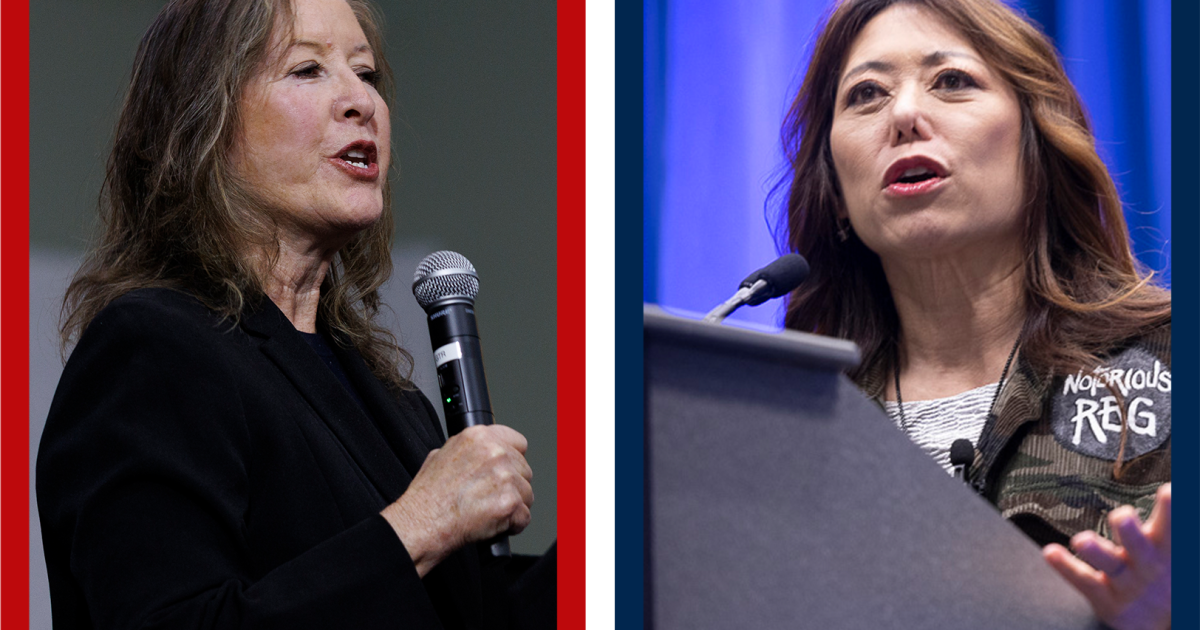
Democrat Fiona Ma, Republican Gloria Romero to face off in race for lieutenant governor
-
 Science30 minutes ago
UC Davis favored less qualified Black, Latino med school applicants, Justice Department claims
-
 Sports33 minutes ago
With eyes of world on Mexico City, El Tri kicks off 2026 World Cup against South Africa
-

 World45 minutes ago
Trade and defence top of agenda at EU-South Korea summit

