Technology
Watch Super Bowl LX ads: 10 must‑see commercials


NEWYou can now listen to Fox News articles!
The cost of a Super Bowl commercial has officially entered jaw-dropping territory. For Super Bowl LX, some 30-second ad slots have reportedly sold for as much as $10 million.
That figure marks a new high for the Big Game. Even the average price this year sits closer to $8 million. As a result, Super Bowl airtime has become one of the most valuable buys in advertising, especially for brands chasing massive live audiences.
Back in 1967, when the first Super Bowl aired, commercial placements were modest and easy to overlook. Since then, the Super Bowl has grown into a cultural event where advertisers compete for attention and relevance. Today, commercials are no longer treated as interruptions. Instead, they are appointment viewing. With audiences expected to once again approach historic highs, brands are betting that the right creative moment can justify even an eight-figure price tag.
Based on what brands are putting on screen this year, that investment shows up in different ways. For example, Super Bowl LX ads span a wide range of styles. Some lean into self-aware humor and celebrity chaos. Others focus on quieter, more emotional storytelling and wellness messages.
Sign up for my FREE CyberGuy Report
Get my best tech tips, urgent security alerts and exclusive deals delivered straight to your inbox. Plus, you’ll get instant access to my Ultimate Scam Survival Guide – free when you join my CYBERGUY.COM newsletter.
SUPER BOWL SCAMS SURGE IN FEBRUARY AND TARGET YOUR DATA
Ben Affleck and the art of Super Bowl self-parody
Dunkin’ is once again leaning all the way into self-aware absurdity, and Ben Affleck is clearly having a blast. In “Golden Cringe,” Affleck returns for his fourth straight Super Bowl run with Dunkin’ Donuts, this time pitching a VHS-era “gold mine” to two mystery figures named “Jen and Matt” — setting off a celebrity guessing game about whether familiar faces like Jennifer Lopez and Matt Damon might return.
The teaser plays like a chaotic brainstorm you were never supposed to see, and Affleck’s long-running joke that his Dunkin’ obsession predates fame, studios and good ideas. Affleck even riffs on how other stores once “kicked him out,” underscoring his obsession with the brand while teasing that this could be the “pinnacle of all our careers.”
When one keg becomes the main character
Bud Light keeps it simple and lets the moment spiral. In Keg, NFL legend Peyton Manning, comedian Shane Gillis and Grammy winner Post Malone stand together as Manning casually holds a glass of Bud Light. Post Malone scans the scene and asks the question everyone at a party eventually asks: “Is there enough for everyone?” Manning points off into the distance and replies, “Oh, right there,” just as a guy hauling a keg completely loses control. The keg breaks free and starts rolling down a canyon, sending all three tumbling after it as Whitney Houston’s I Will Always Love You swells dramatically in the background. After the chaos settles, Manning stands up, places his Bud Light down and looks around before delivering the understated line, “Heck of a wedding, huh?”
The ceremony somehow continues. Gillis turns to the bride and offers a polite, “Hey, it’s a great ceremony,” then pivots to the camera and deadpans, “I give it a week.” The ad lands by letting the contrast do the work. Sentimental music, runaway kegs and brutally honest humor collide, making Bud Light’s Super Bowl moment feel effortless, absurd and perfectly timed.
A sci-fi legend tackles fiber head-on
Kellogg’s leans into nostalgia and cheeky humor with Will Shat, starring William Shatner as Raisin Bran’s unlikely “bran ambassador.” The spot opens in space as an alert flashes that America is low on fiber. Shatner answers the call in classic deadpan style, declaring that “duty calls” before announcing he is here to bring fiber to the masses with Kellogg’s Raisin Bran. The ad then becomes a fast-moving tour of everyday life. Shatner pops up in a sports bar and a living room, calmly delivering bathroom-adjacent puns while everyone around him looks stunned.
He declares, “It’s fiber time,” then eyes a nearby dog and asks, “Is that dog a shih tzu?” The joke lands again when the pup’s collar reveals a “Will” dog tag. The chaos peaks at a football tailgate, where Shatner climbs onto a car, mutters that he is “too old for this,” and crashes down onto a table stacked with Raisin Bran boxes.
Football reimagined as a diner menu
Uber Eats plays it straight in “Diner Menu,” starring Parker Posey and Matthew McConaughey as two people calmly unraveling what they believe is an obvious truth. Sitting together, Posey starts laying out her case, rattling off food-coded phrases like “pancake blocks” and “hash marks,” treating football terminology like menu items. McConaughey nods and admits he could eat that “every morning and twice on Sunday.” Their conclusion feels inevitable. Football, according to them, is basically a diner menu.
McConaughey takes the theory a step further with a piece of football trivia. Barry Sanders played for Detroit for 10 years. What color was his jersey? Blue. Posey answers, “Blueberry,” McConaughey responds by letting out a shriek and casually popping a blueberry into his mouth. Parker then immediately admits, “That was a bit of a reach,” with Matthew adding, “Football is totally selling food.”
A Super Bowl teaser built on kindness and community
Rocket and Redfin take a softer approach to Super Bowl advertising with a black-and-white teaser featuring Lady Gaga. The spot reimagines “Won’t You Be My Neighbor?” – the iconic theme from Mister Rogers’ Neighborhood – setting the tone for a larger campaign focused on home, belonging and community. Instead of spectacle, the teaser leans on simplicity, emotion and a familiar melody that immediately signals warmth. Gaga’s understated performance anchors the message. Known for championing individuality and kindness, she brings a quiet sincerity to the song that feels personal rather than performative.
A deli singalong powered by mayo
Hellmann’s turns lunchtime into a full-blown musical in “Meal Diamond,” starring Andy Samberg as a parody crooner inspired by Neil Diamond. Set inside a crowded deli, the ad kicks off as Samberg launches into “Sweet Sandwich Time,” a mayo-fueled anthem that quickly pulls everyone behind the counter and in line into the performance. What starts as a routine lunch rush spirals into controlled chaos, with generous streams of Hellmann’s mayonnaise getting squeezed onto every sandwich by Samberg as he says, “This is how I make friends” and sings, “I’ll squirt you while I am walking by.”
Among the stunned customers is Elle Fanning, who plays the straight face to Samberg’s improv-heavy energy. She looks on and tells him, “You are incredible.” Samberg fires back without missing a beat, “Incredibly lonely.” If the goal is to get viewers humming and craving extra mayo on their sandwiches, Meal Diamond hits every note.
Grocery preferences go full Europop
Instacart’s “Bananas” spot leans into over-the-top ’80s Europop energy with Ben Stiller and Benson Boone as a retro disco-pop duo battling it out on a glittering stage. Directed by Spike Jonze, the 30-second commercial highlights Instacart’s new “Preference Picker” tool by turning grocery pickiness into performance art. Stiller and Boone harmonize about choosing bananas just the way you like them, using the app’s feature. As the duet escalates, Boone shows off with a dramatic mid-song backflip, prompting Stiller’s character to try and match him.
That attempt ends with Stiller crashing spectacularly into the drum kit on stage, underscoring the absurd rivalry and keeping the energy chaotic and fun. The spot closes with Ben falling off the stage and the tagline “Bananas just how you like,” a playful nod to the new Preference Picker, which helps Instacart customers choose banana ripeness and other grocery details with precision.
BUDWEISER UNVEILS PATRIOTIC NEW SUPER BOWL AD HONORING ‘DEEP-ROOTED AMERICAN HERITAGE’
A ski lesson with Super Bowl stakes
Michelob ULTRA makes its Super Bowl debut with “The ULTRA Instructor,” starring Kurt Russell and Lewis Pullman in a spot that blends winter sports intensity with laid-back beer humor. The 60-second commercial casts Russell as a legendary ski instructor training Pullman’s character to unlock a competitive edge, where bragging rights and rounds of ULTRA are on the line. The training montage leans into Russell’s coaching persona, complete with a playful callback to his role as Herb Brooks in Miracle. As Pullman sharpens his skis and pushes through drills, Russell delivers the familiar command, “Again,” turning a friendly ski session into a mock high-stakes competition.
The contrast between elite-level motivation and low-pressure rewards keeps the tone light while tapping into sports nostalgia. Directed by Joseph Kosinski, the spot also features Olympic snowboarder Chloe Kim and NHL champion T.J. Oshie, reinforcing Michelob ULTRA’s connection to Team USA and the Winter Olympics. By merging Super Bowl spectacle with Olympic energy, Michelob ULTRA positions itself as the beer for competition, camaraderie and winning moments on and off the slopes.
A health message takes the Super Bowl stage
Ro makes its Super Bowl debut with “Healthier on Ro,” starring Serena Williams in a rare healthcare-focused Big Game spot. This time, the direct-to-patient company uses the moment to talk about GLP-1 medications in a broader way. Instead of framing them as a quick fix for weight loss, the ad positions them as a tool for overall health.
In the commercial, Williams speaks candidly about her own experience using GLP-1s through Ro. Over the past year, she says she has lost 34 pounds. As a result, she has eased stress on her knees and stabilized her blood sugar. She also points to improvements in her cholesterol levels and overall heart health.
More importantly, Williams focuses on how the program fits into her life. “I feel better now than I have in years,” she says. The message stays centered on feeling stronger and more like herself, rather than chasing a number on the scale. For Ro, the ad marks a major step. It brings healthcare and GLP-1 conversations into a space usually dominated by snacks, beer and cars. Airing during Super Bowl LX, the spot reflects how wellness brands are increasingly using the Big Game to normalize treatment, reduce stigma and reach a mainstream audience through personal stories.
Pepsi flips the cola wars in a polar-powered spot
Pepsi takes a playful jab at soda rivalries with “The Choice,” a 30-second commercial directed by Taika Waititi that brings the classic Pepsi Challenge to life. At the center of the ad is a cola-loving polar bear, a nod to the iconic mascot long associated with Coca-Cola, who sits down for a blind taste test between Pepsi Zero Sugar and Coke Zero Sugar. When taste alone determines the winner, he surprisingly picks Pepsi, exposing a phenomenon Pepsi refers to as the “Pepsi Paradox,” where people prefer Pepsi once brand labels and bias disappear.
Set to Queen’s “I Want to Break Free,” the bear’s initial shock turns into a whimsical journey of self-discovery, complete with a humorous therapist cameo by Waititi himself and a concert-style celebration that evokes a memorable kiss-cam moment, with the tagline, “You deserve taste.” The ad leans into Pepsi’s decades-long cola rivalry by turning an age-old debate into a lighthearted story about taste and identity, challenging viewers to rethink which cola they’d choose when all labels are removed.
Take my quiz: How safe is your online security?
Think your devices and data are truly protected? Take this quick quiz to see where your digital habits stand. From passwords to Wi-Fi settings, you’ll get a personalized breakdown of what you’re doing right and what needs improvement. Take my Quiz here: Cyberguy.com.
Kurt’s key takeaways
Super Bowl commercials have always reflected the moment we are living in. In 2026, that moment feels louder, stranger, more emotional and far more expensive. For example, some beer ads lean into chaos and humor. Meanwhile, food brands embrace full-on absurdity. At the same time, healthcare companies are stepping onto football’s biggest stage. Still, the common thread among them is ambition. At $10 million per slot, brands are not just buying airtime. Instead, they are buying a chance to be remembered. Some commercials will land iconic moments. Others will fade by halftime. In the end, one thing is clear. The Super Bowl is no longer just a game with ads. It is an advertising event that happens to include football.
CLICK HERE TO DOWNLOAD THE FOX NEWS APP
With Super Bowl ads now costing $10 million for 30 seconds, which commercials actually feel worth the price? Let us know by writing to us at Cyberguy.com.
Sign up for my FREE CyberGuy Report
Get my best tech tips, urgent security alerts and exclusive deals delivered straight to your inbox. Plus, you’ll get instant access to my Ultimate Scam Survival Guide – free when you join my CYBERGUY.COM newsletter.
Copyright 2026 CyberGuy.com. All rights reserved.



NEWYou can now listen to Fox News articles!
That old phone sitting in your drawer may have more life left in it than you think. You may look at it and see a dead battery, an outdated camera or a screen that no longer feels worth using. Google and researchers at the University of California San Diego see something else: a tiny computer that may still have useful processing power.
Their idea is called phone cluster computing. Instead of treating retired smartphones as electronic waste, researchers remove the motherboard and redeploy it as part of a low-carbon computing system.
Google says UC San Diego plans to launch a data center built from 2,000 Pixel smartphones in fall 2026. The goal is to provide low-cost cloud computing for students and researchers while reducing the need for newly manufactured server hardware.
That means the next chapter for an old phone may not be a junk drawer. It may be a server rack.
YOU COULD GET PAID FROM GOOGLE’S ANDROID DATA LAWSUIT
Researchers plan to launch a 2,000-phone data center at UC San Diego in fall 2026 to support students and research workloads. (Kurt “CyberGuy” Knutsson)
Sign up for my FREE CyberGuy Report
- Get my best tech tips, urgent security alerts and exclusive deals delivered straight to your inbox.
- For simple, real-world ways to spot scams early and stay protected, visit CyberGuy.com – trusted by millions who watch CyberGuy on TV daily.
- Plus, you’ll get instant access to my Ultimate Scam Survival Guide free when you join.
What is phone cluster computing?
Phone cluster computing takes retired smartphones and turns their core hardware into a computing platform. The process starts by stripping each phone down to the motherboard. That board holds the processor, memory and storage. The display, battery, cameras, chassis and other phone-specific parts are removed.
That step is important because a full phone does not belong in a data center. Batteries can create safety issues. Screens and cameras waste space. The motherboard is the part that still offers computing value.
Once the board is removed, researchers load a general-purpose Linux system onto it. Android already runs on Linux at its core, but Android is built for mobile apps and personal devices. A data center needs something more flexible for cloud workloads. After that, the phone boards can be grouped into clusters. Many small boards then work together like a collection of tiny servers.
Why Google wants old Pixel phones for cloud computing
The AI boom has created a huge appetite for computing power. Data centers need more chips, more electricity and more cooling. At the same time, billions of phones fall out of use around the world.
This Google-backed project takes that conversation in a different direction by asking whether some useful computing can come from hardware we already made.
The project focuses on embodied carbon. That means the emissions created before a device ever turns on. Mining, manufacturing and shipping all add to that carbon footprint.
If a phone motherboard already exists, reusing it can avoid some of the environmental cost tied to manufacturing new hardware. Google says the motherboard accounts for about half of a phone’s embodied carbon, which makes it the most valuable part to recover.
How retired smartphones become low-carbon servers
You cannot plug a pile of old phones into a rack and call it a data center. The process requires careful teardown, new software and a way to manage many boards at once. Google says the project uses containerized applications managed by Kubernetes. That helps coordinate the work across many devices.
The phones are organized into self-managing clusters of about 25 to 50 boards. Each board works as a small Linux machine. Together, they can handle tasks that would otherwise run on traditional cloud servers. That does not make one phone equal to one server. A server has many more processor cores, more memory and data center-grade hardware. A phone board has fewer resources and tighter limits. Still, some jobs do not need a giant machine. They need enough compute to run efficiently without wasting resources.
GOOGLE ENGINEER STOLE AI SECRETS FOR CHINA, SENATE HEARS IN EXPLOSIVE TESTIMONY
Google and UC San Diego are testing a cloud computing system built from retired Pixel phone motherboards, giving old smartphones a possible second life. (Google)
Can old phone processors handle cloud workloads?
The technical case is stronger than you may expect. Google says the single-threaded performance of modern smartphone performance cores can match or beat the per-core performance of some modern multicore servers. In one comparison, a 2023 Pixel Fold was tested against an ASUS RS720A-E11 server using SPEC benchmarks. The Pixel Fold’s performance cores beat the baseline data center server core on many of the tests. That sounds impressive, but there is an important catch.
A smartphone board has a smaller memory limit and fewer cores. It also lacks the management tools and hardware durability that servers are built around. So the project needs the right workloads.
UC San Diego is starting with educational and research computing. That makes sense because many classroom tasks can run on small cloud instances. Google says early experiments showed that a 20-phone cluster could support peak submission rates for a class of more than 75 students. The grading latency also came in below the default AWS backend used in the comparison.
Why UC San Diego is testing a 2,000 Pixel phone data center
UC San Diego plans to use the 2,000-phone cluster to support computer science classes and research workloads. Google says the deployment could support about 100 classes at once. It also describes the system as providing about 50 server-equivalents worth of compute at a fraction of the usual cost.
For a university, that could be a major advantage. Cloud computing costs can rise quickly, especially when many students submit assignments at the same time. If a reused phone cluster can handle some of that load, schools may save money while reducing demand for newly manufactured servers.
This also gives researchers a chance to test phone-based computing at scale. A small lab demo can look promising. A 2,000-board deployment will show much more about reliability, maintenance and day-to-day performance.
Phone cluster computing still has big limits
Phone cluster computing sounds promising, but it still has a lot to prove. Your smartphone was made for daily use in your hand, not nonstop work inside a data center. Data center servers are built to run for years with steady cooling, fast repairs and constant monitoring. Phone motherboards come from devices made for pockets, backpacks and kitchen counters. That alone raises some big questions.
The boards could fail faster than expected. Cooling may also become a challenge once thousands of tiny processors run side by side. Then there is the labor problem, because someone has to safely remove batteries, screens and other parts before the boards can be reused. Cost will be the deciding factor. If teardown, maintenance and replacement work get too expensive, this idea may stay in the research lab.
Phone clusters also will not replace the massive GPU systems that power advanced AI training. They make more sense for smaller cloud jobs, classroom tools and research tasks that fit within smartphone hardware limits. That still leaves plenty of useful work. After all, not every cloud task needs the newest chip.
Why old smartphones could help cut e-waste
The world’s e-waste problem is growing fast. The Global E-waste Monitor projects that electronic waste could climb to 82 million tonnes by 2030, while formal collection and recycling rates are expected to fall to 20%. Old phones are a big part of that problem because many never make it to a proper recycling program. They sit in drawers, land in closets or get tossed out with valuable parts still inside. Even when a phone no longer feels useful to you, its processor, memory and storage may still have work left to do.
CyberGuy has covered related second-life ideas before, including old smartphones being turned into tiny data centers and repurposed EV batteries helping power AI data centers. The common theme is hard to ignore. Some of the hardware already in circulation may still have useful work left to do.
FIVE DATA BROKER OPT-OUT MYTHS THAT LEAVE RETIREES EXPOSED
Google says reusing smartphone motherboards could cut hardware waste and reduce the carbon cost of building new data center servers. (Yawar Nazir/Getty Images)
How to safely recycle or reuse your old phone
This research does not mean you should toss your old phone into a random donation bin tomorrow. Before you recycle, donate, trade in or sell an old phone, you need to protect your data. Back up anything you want to keep. Then sign out of your accounts and securely wipe the device.
CyberGuy has a helpful guide on how to securely get rid of your old cell phone. Privacy comes first whenever you part with a device.
You can also consider trade-in programs, certified refurbishers or reputable electronics recycling programs. If the phone still works, buying refurbished can also keep devices in use longer. CyberGuy has covered what to know before buying refurbished electronics, which is helpful if you want to save money without taking a gamble. The key is to avoid letting old devices sit forgotten forever. A phone in a drawer helps no one.
What this means to you
That old phone in your drawer may not be as useless as it looks. Even if the battery is tired or the camera feels outdated, the processor inside may still have real value.
Now, you probably will not be mailing your old phone to a Google data center anytime soon. Still, this project points to a bigger shift in how we think about retired tech. Instead of sending every old device straight to recycling or letting it collect dust, companies, schools and researchers may find smarter ways to reuse the parts that still work.
There is also a money lesson here. If your current phone still runs well, you may not need to rush into an upgrade just because a newer model comes out. A battery replacement, trade-in or refurbished option could save you money while keeping perfectly good hardware in use longer. To me, that is the real takeaway. The phone you forgot about could possibly still have a job to do.
Watch the CyberGuy Live replay: Lock Down Your Phone in 30 Minutes
Your phone holds your email, passwords, photos, banking apps and personal data. In this free CyberGuy Live replay, Kurt the CyberGuy walks you step by step through simple phone security fixes you can do at your own pace. You’ll learn how to improve your privacy settings, spot the latest phone scams, use trusted security tools and walk away with a simple checklist to stay protected. Watch the replay and get our checklist here: CyberGuyLive.com.
Kurt’s key takeaways
Google and UC San Diego are testing how to turn retired Pixel phone motherboards into a low-carbon cloud computing platform. The project could give old smartphones a second life while reducing the need for newly manufactured servers. That is important as AI data centers keep demanding more computing power and more electricity. The first major test is expected in fall 2026 with a 2,000-phone data center at UC San Diego. If it works, the cluster could support students and researchers at a lower cost than traditional cloud infrastructure. However, this idea still has to prove it can handle the grind of daily use. Reliability, cooling, teardown labor and maintenance will determine whether phone cluster computing can grow beyond just research. To me, the most relatable part is sitting in your junk drawer. That old phone may seem useless, but its processor could still be powerful enough to help run cloud jobs. Maybe the future of computing starts with hardware we already forgot we owned.
Would you feel good knowing your old phone could help power cloud computing? Let us know by writing to us at CyberGuy.com.
CLICK HERE TO DOWNLOAD THE FOX NEWS APP
Sign up for my FREE CyberGuy Report
- Get my best tech tips, urgent security alerts and exclusive deals delivered straight to your inbox.
- For simple, real-world ways to spot scams early and stay protected, visit CyberGuy.com – trusted by millions who watch CyberGuy on TV daily.
- Plus, you’ll get instant access to my Ultimate Scam Survival Guide free when you join.
Copyright 2026 CyberGuy.com. All rights reserved.

If you’re looking for a relatively affordable way to cut down on cooling costs, Google’s Nest Thermostat can help. It’s packed with smart controls and energy-saving features, and right now it’s on sale in white for $79 ($50 off), which is its best price of the year, at Amazon.
The smart thermostat is quick to install and makes it easy to adjust your home’s temperature whether you’re relaxing in bed or on your way home thanks to the Google Home app. You can also create schedules and control it with your voice using Google Assistant, Alexa, or another Matter-compatible voice assistant.
Once it’s set up, the Nest Thermostat can automatically turn the temperature down when you’re away to help reduce unnecessary energy use, while Google’s Savings Finder feature suggests additional ways to save over time. It also monitors your HVAC system and can alert you if something doesn’t seem right, making it easier to stay on top of maintenance before small issues become bigger, more expensive ones. If you’re eligible, Nest Renew can also automatically shift some of your heating and cooling to times when electricity is cleaner or cheaper.
That said, this is Google’s entry-level model from 2020, so you do miss out on some of the premium features found on the latest Nest Learning Thermostat. Unlike the flagship version, it won’t learn your schedule automatically over time, for example, and lacks support for Nest Temperature Sensors that let you prioritize the temperature in a specific room. Even so, if all you want is an easy way to adjust your home’s temperature remotely and potentially lower your energy bills, the Nest Thermostat is still a solid investment at this price.

NEWYou can now listen to Fox News articles!
The Justice Department recently charged 455 people in its annual National Health Care Fraud Takedown. The cases involve more than $6.5 billion in alleged false claims. More state Medicaid units took part than in any prior year. Ninety of the accused are doctors or other licensed medical professionals. The DOJ says prosecutors still must prove the charges in court.
Many schemes used other people’s medical identities. Prosecutors also added aggravated identity theft charges in cases across dozens of states. In one case, the co-owner of a Virginia mental health company allegedly paid homeless people with hotel stays. Prosecutors say the company used their Medicaid numbers, then billed Medicaid for crisis services the patients never got.
For the people whose numbers got used, the case file may eventually close. Their medical records may not be so easy to fix. Once someone else’s treatment shows up under your name, it can add wrong information to your chart. It can also use up insurance benefits you may need later. That is harder to undo than canceling a credit card.
Sign up for my FREE CyberGuy Report
- Get my best tech tips, urgent security alerts and exclusive deals delivered straight to your inbox.
- For simple, real-world ways to spot scams early and stay protected, visit CyberGuy.com – trusted by millions who watch CyberGuy on TV daily.
- Plus, you’ll get instant access to my Ultimate Scam Survival Guide free when you join.
DR OZ WARNS MEDICARE SCAMMERS ARE STEALING BILLIONS — AND YOUR PERSONAL INFORMATION COULD BE NEXT
Medical identity theft can put someone else’s claims, prescriptions or diagnoses into your health records, creating problems that can follow you into a doctor’s office. (iStock)
The identity thief’s treatment gets written into your file
Medical identity theft happens when someone uses your name, Social Security number (SSN), health insurance account number, or Medicare number to see a doctor, fill a prescription, buy medical equipment, or submit a claim, according to the Federal Trade Commission (FTC).
When care is billed under your name, the thief’s health information can blend into yours. The FTC warns that mixed records can affect the care you’re able to get and the benefits you are able to use. A blood type, a drug allergy, a diagnosis, or a prescription that belongs to a stranger can sit in the file a physician reads before treating you.
Data breaches can feed the market for medical identity theft
Hospitals and insurers hold the exact records that make the fraud work, and those records are stolen often. This does not mean every healthcare breach leads to fraud. However, it explains why your insurance number, Medicare number, SSN and medical records can become valuable long after a breach notice arrives.
This spring, NYC Health + Hospitals reported that an intruder had copied files that may have included health insurance information, medical information, biometric data, billing data and other personal information. The breach was later reported to affect roughly 1.8 million current and former patients and employees.
Once a name, SSN, insurance number, Medicare number or medical record reaches a criminal marketplace, it can be resold to operators who bill under someone else’s identity.
Treat your insurance card like a credit card
Your health insurance and Medicare numbers are what these operations need, so the FTC recommends guarding them the way you would a payment card.
- Keep enrollment forms, benefit statements, and prescription labels somewhere secure, and shred them before throwing them out.
- When a doctor’s office asks for your SSN, ask whether it can use another identifier or the last four digits instead.
- Be wary of anyone who calls, texts, or emails offering free braces, genetic tests, or medical supplies in exchange for your Medicare number; several of the schemes in the June takedown billed Medicare for exactly those items.
- If you are on Medicare, create or log in to your secure Medicare account and review your claims. You can also check your Medicare Summary Notice for services, supplies or equipment you do not recognize. If something looks wrong, call 1-800-MEDICARE.
HOSPICE FRAUD USES STOLEN IDENTITIES FOR FAKE PATIENTS
Experts urge patients to treat insurance cards like credit cards and quickly challenge unfamiliar medical bills, claims or benefits notices. (iStock)
Your credit report may never flag this fraud
Because a fraudulent medical claim runs through insurance and provider systems instead of a credit check, it skips the alerts most people rely on.
Here’s what the FTC says you should look out for:
- A bill or an Explanation of Benefits (EOB) statement for care you never received
- A call from a debt collector about a medical debt you do not owe
- A medical collection you do not recognize on your credit report
- A notice from your insurer that you have reached your benefit limit
- A Medicare Summary Notice that lists services, supplies or equipment you never received
What to do first if a medical claim looks wrong
If a bill, EOB or Medicare notice shows care you never received, move quickly and keep everything in writing.
1) Call your insurer or Medicare directly
Call your insurer or Medicare using the number on your card, not a number from a random text, email or voicemail.
2) Get the claim details
Ask for the provider name, date of service, claim number and service details.
3) Request the records in writing
Contact the provider in writing and request the medical or billing records tied to that claim.
4) Report the error
Report the error to your insurer’s fraud department.
5) File an identity theft report
File a report at IdentityTheft.gov if your medical identity was used. That gives you a recovery plan and documentation you may need if fraudulent bills or collections show up later.
6) Save every document
Keep copies of every bill, EOB, letter, portal message, police report and case number.
Correcting a medical file is slower than disputing a charge
Request your records from every provider, clinic, pharmacy, lab and insurer the thief may have used, then report each error in writing. Under HIPAA, a provider generally has 30 days to give you access to your records after a written request, with a possible 30-day extension.
Fixing the record itself can take longer. HHS says a covered provider or health plan usually has up to 60 days to act on a request to amend a medical record, with a possible 30-day extension in certain cases. If the provider or plan created the wrong information, it must amend inaccurate or incomplete information.
There’s one catch, though: a provider may refuse to release records that now contain a stranger’s information, citing that person’s privacy. If that happens, ask for the provider’s privacy officer or patient advocate. You can also file a complaint with the U.S. Department of Health and Human Services Office for Civil Rights if you do not get your records or an explanation within the required window.
TEXAS DATA BREACH HITS 3M LICENSE CUSTOMERS
Stolen Medicare, Medicaid or insurance numbers can be used to bill for care, medical equipment or prescriptions patients never received. (kali9/Getty Images)
A credit freeze alone won’t stop a claim under your insurance
A freeze blocks new accounts, but it does nothing about a claim filed with your insurance number. Because medical identity theft can move without touching your credit file, monitoring where your personal information appears is the earliest way to act on it.
An identity theft protection service can monitor the dark web, data broker sites and people-search sites for exposed SSNs, driver’s license numbers, medical ID numbers and email addresses. It can also track all three credit bureaus for medical collections that may follow and flag public-record changes tied to your name.
If misuse happens, some services include fraud resolution support to help you request records, dispute fraudulent claims and work with providers, insurers and credit bureaus. Some plans also include identity theft insurance for eligible recovery costs.
No service can prevent every misuse of your medical identity. However, ongoing monitoring may flag exposed information before another person’s treatment reaches your records and your insurance.
See my tips and best picks on Best Identity Theft Protection at CyberGuy.com.
Kurt’s key takeaways
Medical identity theft hits in a place most of us rarely check: our health records. A stolen credit card can usually be canceled quickly. A stolen Medicare or insurance number can create fake claims, wrong diagnoses and benefit headaches that follow you long after the fraud case ends. I would not wait for a credit alert here. Check your EOBs, Medicare Summary Notices and insurer portals for visits, prescriptions or equipment you never received. Also, treat your insurance card like a payment card. Do not give the number to anyone who calls, texts or emails out of nowhere with a free offer. The most important thing is to act fast. Call your insurer or Medicare, ask for the claim details and request your medical records in writing. Then file at IdentityTheft.gov, so you have the paperwork you need if fraudulent bills or collections show up later.
Have you ever spotted a medical bill, insurance claim or EOB for care you never received? Let us know by writing to us at CyberGuy.com.
CLICK HERE TO DOWNLOAD THE FOX NEWS APP
Sign up for my FREE CyberGuy Report
- Get my best tech tips, urgent security alerts and exclusive deals delivered straight to your inbox.
- For simple, real-world ways to spot scams early and stay protected, visit CyberGuy.com – trusted by millions who watch CyberGuy on TV daily.
- Plus, you’ll get instant access to my Ultimate Scam Survival Guide free when you join.
Copyright 2026 CyberGuy.com. All rights reserved.
-

 World3 minutes ago
Jailed Catholic woman’s hunger strike highlights Iran religious persecution — US demands action
-

 Politics8 minutes ago
Israel shares intelligence warning Iran plotted new assassination attempt against Trump: report
-

 Health15 minutes ago
Parasitic infection causing ‘explosive’ stomach illness exceeds 1,000 cases in northern state
-

 Sports17 minutes ago
London descends into disorder as Morocco fans flood streets after World Cup elimination by France
-

 Technology23 minutes ago
Google turns old phones into cloud servers
-
 Business30 minutes ago
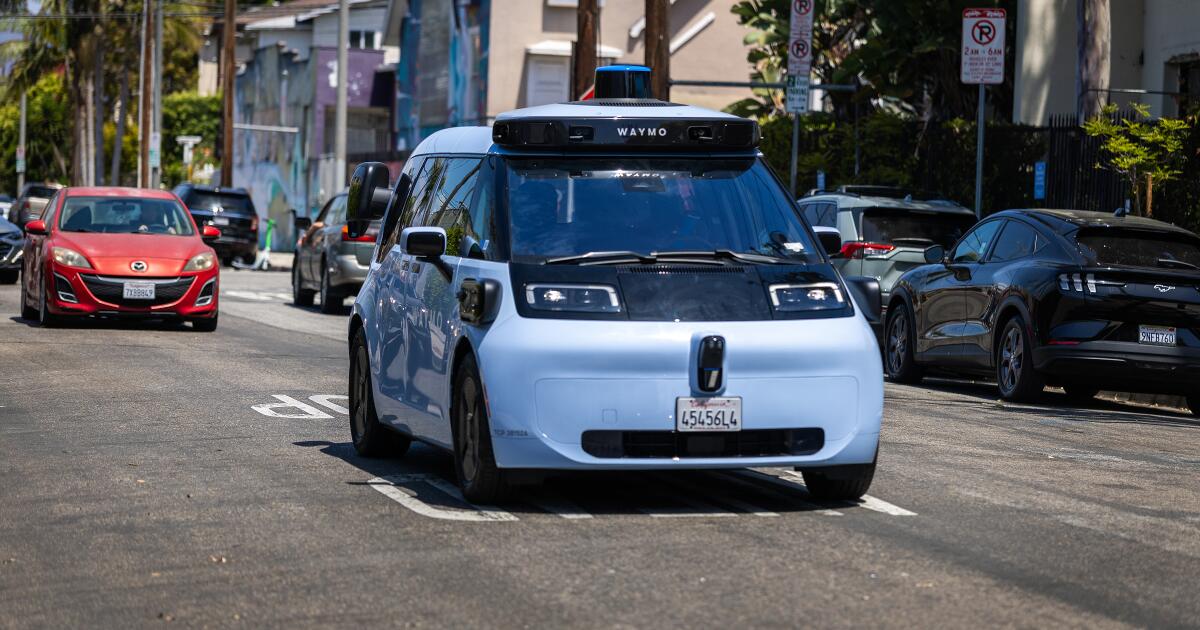
Waymo is starting robotaxi service in San Diego
-
 Entertainment33 minutes ago
‘Children of Blood and Bone’ author won’t see film after feud with star Amandla Stenberg
-
 Lifestyle37 minutes ago
After her son’s death, she found a new purpose. ‘He’s whispering: Mom, this is your path’

