Europe has an electric bike problem. Direct-to-consumer e-bikes from inexpensive Chinese brands like Engwe and countless others can be easily purchased online despite openly flouting EU restrictions. They feature throttles and powerful motors that can be easily unlocked to far exceed the 25km/h (16mph) legal speed limit — no pedaling required.
Technology
Engwe Mapfour N1 Pro e-bike review: the new ‘premium’


Here in Amsterdam, cheap Super73-knockoffs ridden at almost twice the legal speed have made the city’s renowned bicycle lanes increasingly chaotic and dangerous. Across the Netherlands, over 10,000 of these electric “fat bikes” were seized in 2024.
Engwe’s new Mapfour lineup is the company’s attempt at going legit by expanding from souped-up electric fat bikes and foldables into “premium commuter” e-bikes. And because they’re the first e-bikes that Engwe has designed exclusively for European roads, the company swears they can’t be unlocked for more speed.
I’ve been riding the new Mapfour N1 Pro model for the last few weeks. It lists for €1,899 (almost $2,000), or €1,799 during the initial launch — a price that brings heightened expectations.
The N1 Pro is slathered in premium capabilities like GPS/GSM tracking for which some bike makers charge subscriptions. The monocoque frame and fork are made from carbon fiber supplied by Toray — “the same high-quality carbon fiber as Trek and Specialized,” claims Engwe. There’s even turn-by-turn navigation built into the full-featured app, a large colorful display integrated into the handlebars, and a built-in mechanical lock in the rear wheel hub that automatically engages when the bike is turned off and stationary.
My review bike was missing a fender bolt, occasionally flashed a strange error code, and the solar-powered rear light won’t turn on. Still, it’s likely the highest quality electric bike Engwe has ever made.

$1714
The Good
- Looks and rides sporty
- Long list of features for price
- Removable battery
- Can’t be speed hacked
The Bad
- Strange error messages
- Servicing parts likely an issue
- Doesn’t support height range claimed
- Can’t be speed hacked
I have lots of experience with assembling direct-to-consumer e-bikes and the N1 Pro was ready to ride in about an hour, which is typical. Even with a carbon-fiber frame it weighs 20.1kg (44lbs) fully assembled according to my scale, which is heavy for an e-bike — just not Veloretti-heavy.

In the box you’ll find a basic toolset that includes everything needed for assembly and instructions written in stellar English unlike some previous Engwe tutorials I’ve read. I had to assemble the pedals, front wheel, kickstand, handlebar, and fenders, and fish out a replacement fender bolt from some spare bicycle parts I had lying around. I then went to adjust the saddle to my height only to discover that I was too tall for the N1 Pro.
The saddle stem has a marked safety line that stops well before the height needed for my 6 foot (183cm) frame, despite being sold in the Netherlands where I’m considered a short king. Nevertheless, exceeding the line by about 2.5cm (one inch) hasn’t made the saddle feel insecure, even when riding over rough cobblestones. Engwe claims the N1 Pro supports riders from 165–190cm, and is considering offering the option for a longer saddle stem at checkout based upon my feedback.
The N1 Pro’s geometry puts the rider into what’s essentially a mountain bike stance: a moderate forward lean with hands spread wide out in front of the body. That wrist and body angle combined with a rather stiff saddle are not ideal for riding long distances, especially in combination with a backpack that’ll put even more weight on the hands and derrière. I do like that fun, sporty posture over short distances, but if you’re looking for a more relaxed ride then Engwe has the upright €1,399 MapFour N1 Air available in both step-over and step-through frames.


The 250W mid-drive Ananda motor on the N1 Pro is nearly silent under the din of road noise, and the integrated torque sensor provides an intuitive pedal-assist at all speeds. It produces up to 80Nm of torque that lets me easily start from a dead stop in fourth gear (of seven) on flat roads, but testing on a hill with a gradient of about 15 percent required a start from first gear. Typically, I only needed to shift to a high gear when I wanted to use my leg power to propel the bike at speeds above the 25km/h motor cutoff.
Despite claiming a range of up to 100km from its modest 360Wh battery, my first test performed over a few weeks yielded just 23km off a full charge in near-freezing conditions. I usually rode in power setting three of five on mostly flat roads. The second test performed on a single warmer day improved the range to 27km with 28 percent charge remaining — or an estimated 36km if I had time to run the battery dry for a below average 10Wh consumed per kilometer travelled. The bike battery seems to suffer from idle battery drain of about 1-2 percent per day when parked inside my house.
Worrisome for a “premium” e-bike: on two occasions I saw an “09” error message flash on the display which Engwe is still diagnosing. Once, while starting the bike after it had been sitting outside in the rain for a few hours. Another time after riding home on a rain-soaked street while switching between the N1 Pro’s regular and high-beam lights. In the first case, a simple reboot cleared it and I was able to ride away fine, but the other time required riding home under my own power before it inexplicably cleared the next morning.
- The bike’s integrated display is readable in all lighting, and shows the remaining battery level, speed, power level, and even distance and direction of next turn if using the navigation built into the useful but overwrought Engwe app.
- I didn’t find Engwe’s turn-by-turn navigation very useful as the guidance presented on the display wasn’t informative or urgent enough for me to make confident decisions when traversing the dense network of crossroads in Amsterdam.
- It has a very loud alarm that can ward off thieves and help locate the e-bike in large parking garages.
- The daytime running lights are fun and help with visibility, but also dorky if you choose the animated options.
- The solar-powered rear light never worked on my review unit.
- Engwe provides a chain guard on shipping units.
- The hydraulic disc brakes from an unspecified vendor provide good controlled stops.
- Includes a 1-year warranty on electrical components, chassis, and battery.
1/19
There was a time when premium e-bikes had list prices around €2,000 / $2,000. Those days are as gone as the free venture capital propping up e-bike startups, pushing premium prices up to a starting price closer to €3,000 / $3,000. The Engwe N1 Pro is therefore priced about right. It’s not a bad e-bike, but it’s also not great despite checking off lots of features on a marketing sheet.
Just remember, servicing a direct-to-consumer e-bike can be a problem as it requires the ready availability of spare parts and the knowledge to replace them. As with any electric bike exposed to the elements and regular road use, the N1 Pro’s motor and any proprietary electronics like the controller, display, battery, lights, buttons, and integrated lock will eventually need servicing. So you’d better be on very good terms with your local bike shop or be handy with a wrench and oscilloscope to prevent your mail-order e-bike from quickly turning into e-waste.
Photography by Thomas Ricker / The Verge



Microsoft may once again be struggling to keep up with its own climate goals, according to its 2026 sustainability report. As reported by GeekWire, the report states that Microsoft’s carbon emissions increased 25 percent in 2025, totalling 34 million metric tons “without select interventions.” Microsoft says this was “driven primarily by the expansion of our datacenter infrastructure,” as well as the company’s decision last February to stop purchasing “non-additional, unbundled renewable energy certificates.”
Several years ago, Microsoft set itself a goal to be carbon negative by 2030, meaning it will need to remove more carbon emissions than it produces. This isn’t the first time Microsoft has faced setbacks toward accomplishing that goal, as its 2024 sustainability report showed a similar rise in climate pollution. This year’s report admits that, “While AI infrastructure is driving demand for energy, water, land, and materials, sustainability solutions are not scaling fast enough to meet demand.”

NEWYou can now listen to Fox News articles!
That old phone sitting in your drawer may have more life left in it than you think. You may look at it and see a dead battery, an outdated camera or a screen that no longer feels worth using. Google and researchers at the University of California San Diego see something else: a tiny computer that may still have useful processing power.
Their idea is called phone cluster computing. Instead of treating retired smartphones as electronic waste, researchers remove the motherboard and redeploy it as part of a low-carbon computing system.
Google says UC San Diego plans to launch a data center built from 2,000 Pixel smartphones in fall 2026. The goal is to provide low-cost cloud computing for students and researchers while reducing the need for newly manufactured server hardware.
That means the next chapter for an old phone may not be a junk drawer. It may be a server rack.
YOU COULD GET PAID FROM GOOGLE’S ANDROID DATA LAWSUIT
Researchers plan to launch a 2,000-phone data center at UC San Diego in fall 2026 to support students and research workloads. (Kurt “CyberGuy” Knutsson)
Sign up for my FREE CyberGuy Report
- Get my best tech tips, urgent security alerts and exclusive deals delivered straight to your inbox.
- For simple, real-world ways to spot scams early and stay protected, visit CyberGuy.com – trusted by millions who watch CyberGuy on TV daily.
- Plus, you’ll get instant access to my Ultimate Scam Survival Guide free when you join.
What is phone cluster computing?
Phone cluster computing takes retired smartphones and turns their core hardware into a computing platform. The process starts by stripping each phone down to the motherboard. That board holds the processor, memory and storage. The display, battery, cameras, chassis and other phone-specific parts are removed.
That step is important because a full phone does not belong in a data center. Batteries can create safety issues. Screens and cameras waste space. The motherboard is the part that still offers computing value.
Once the board is removed, researchers load a general-purpose Linux system onto it. Android already runs on Linux at its core, but Android is built for mobile apps and personal devices. A data center needs something more flexible for cloud workloads. After that, the phone boards can be grouped into clusters. Many small boards then work together like a collection of tiny servers.
Why Google wants old Pixel phones for cloud computing
The AI boom has created a huge appetite for computing power. Data centers need more chips, more electricity and more cooling. At the same time, billions of phones fall out of use around the world.
This Google-backed project takes that conversation in a different direction by asking whether some useful computing can come from hardware we already made.
The project focuses on embodied carbon. That means the emissions created before a device ever turns on. Mining, manufacturing and shipping all add to that carbon footprint.
If a phone motherboard already exists, reusing it can avoid some of the environmental cost tied to manufacturing new hardware. Google says the motherboard accounts for about half of a phone’s embodied carbon, which makes it the most valuable part to recover.
How retired smartphones become low-carbon servers
You cannot plug a pile of old phones into a rack and call it a data center. The process requires careful teardown, new software and a way to manage many boards at once. Google says the project uses containerized applications managed by Kubernetes. That helps coordinate the work across many devices.
The phones are organized into self-managing clusters of about 25 to 50 boards. Each board works as a small Linux machine. Together, they can handle tasks that would otherwise run on traditional cloud servers. That does not make one phone equal to one server. A server has many more processor cores, more memory and data center-grade hardware. A phone board has fewer resources and tighter limits. Still, some jobs do not need a giant machine. They need enough compute to run efficiently without wasting resources.
GOOGLE ENGINEER STOLE AI SECRETS FOR CHINA, SENATE HEARS IN EXPLOSIVE TESTIMONY
Google and UC San Diego are testing a cloud computing system built from retired Pixel phone motherboards, giving old smartphones a possible second life. (Google)
Can old phone processors handle cloud workloads?
The technical case is stronger than you may expect. Google says the single-threaded performance of modern smartphone performance cores can match or beat the per-core performance of some modern multicore servers. In one comparison, a 2023 Pixel Fold was tested against an ASUS RS720A-E11 server using SPEC benchmarks. The Pixel Fold’s performance cores beat the baseline data center server core on many of the tests. That sounds impressive, but there is an important catch.
A smartphone board has a smaller memory limit and fewer cores. It also lacks the management tools and hardware durability that servers are built around. So the project needs the right workloads.
UC San Diego is starting with educational and research computing. That makes sense because many classroom tasks can run on small cloud instances. Google says early experiments showed that a 20-phone cluster could support peak submission rates for a class of more than 75 students. The grading latency also came in below the default AWS backend used in the comparison.
Why UC San Diego is testing a 2,000 Pixel phone data center
UC San Diego plans to use the 2,000-phone cluster to support computer science classes and research workloads. Google says the deployment could support about 100 classes at once. It also describes the system as providing about 50 server-equivalents worth of compute at a fraction of the usual cost.
For a university, that could be a major advantage. Cloud computing costs can rise quickly, especially when many students submit assignments at the same time. If a reused phone cluster can handle some of that load, schools may save money while reducing demand for newly manufactured servers.
This also gives researchers a chance to test phone-based computing at scale. A small lab demo can look promising. A 2,000-board deployment will show much more about reliability, maintenance and day-to-day performance.
Phone cluster computing still has big limits
Phone cluster computing sounds promising, but it still has a lot to prove. Your smartphone was made for daily use in your hand, not nonstop work inside a data center. Data center servers are built to run for years with steady cooling, fast repairs and constant monitoring. Phone motherboards come from devices made for pockets, backpacks and kitchen counters. That alone raises some big questions.
The boards could fail faster than expected. Cooling may also become a challenge once thousands of tiny processors run side by side. Then there is the labor problem, because someone has to safely remove batteries, screens and other parts before the boards can be reused. Cost will be the deciding factor. If teardown, maintenance and replacement work get too expensive, this idea may stay in the research lab.
Phone clusters also will not replace the massive GPU systems that power advanced AI training. They make more sense for smaller cloud jobs, classroom tools and research tasks that fit within smartphone hardware limits. That still leaves plenty of useful work. After all, not every cloud task needs the newest chip.
Why old smartphones could help cut e-waste
The world’s e-waste problem is growing fast. The Global E-waste Monitor projects that electronic waste could climb to 82 million tonnes by 2030, while formal collection and recycling rates are expected to fall to 20%. Old phones are a big part of that problem because many never make it to a proper recycling program. They sit in drawers, land in closets or get tossed out with valuable parts still inside. Even when a phone no longer feels useful to you, its processor, memory and storage may still have work left to do.
CyberGuy has covered related second-life ideas before, including old smartphones being turned into tiny data centers and repurposed EV batteries helping power AI data centers. The common theme is hard to ignore. Some of the hardware already in circulation may still have useful work left to do.
FIVE DATA BROKER OPT-OUT MYTHS THAT LEAVE RETIREES EXPOSED
Google says reusing smartphone motherboards could cut hardware waste and reduce the carbon cost of building new data center servers. (Yawar Nazir/Getty Images)
How to safely recycle or reuse your old phone
This research does not mean you should toss your old phone into a random donation bin tomorrow. Before you recycle, donate, trade in or sell an old phone, you need to protect your data. Back up anything you want to keep. Then sign out of your accounts and securely wipe the device.
CyberGuy has a helpful guide on how to securely get rid of your old cell phone. Privacy comes first whenever you part with a device.
You can also consider trade-in programs, certified refurbishers or reputable electronics recycling programs. If the phone still works, buying refurbished can also keep devices in use longer. CyberGuy has covered what to know before buying refurbished electronics, which is helpful if you want to save money without taking a gamble. The key is to avoid letting old devices sit forgotten forever. A phone in a drawer helps no one.
What this means to you
That old phone in your drawer may not be as useless as it looks. Even if the battery is tired or the camera feels outdated, the processor inside may still have real value.
Now, you probably will not be mailing your old phone to a Google data center anytime soon. Still, this project points to a bigger shift in how we think about retired tech. Instead of sending every old device straight to recycling or letting it collect dust, companies, schools and researchers may find smarter ways to reuse the parts that still work.
There is also a money lesson here. If your current phone still runs well, you may not need to rush into an upgrade just because a newer model comes out. A battery replacement, trade-in or refurbished option could save you money while keeping perfectly good hardware in use longer. To me, that is the real takeaway. The phone you forgot about could possibly still have a job to do.
Watch the CyberGuy Live replay: Lock Down Your Phone in 30 Minutes
Your phone holds your email, passwords, photos, banking apps and personal data. In this free CyberGuy Live replay, Kurt the CyberGuy walks you step by step through simple phone security fixes you can do at your own pace. You’ll learn how to improve your privacy settings, spot the latest phone scams, use trusted security tools and walk away with a simple checklist to stay protected. Watch the replay and get our checklist here: CyberGuyLive.com.
Kurt’s key takeaways
Google and UC San Diego are testing how to turn retired Pixel phone motherboards into a low-carbon cloud computing platform. The project could give old smartphones a second life while reducing the need for newly manufactured servers. That is important as AI data centers keep demanding more computing power and more electricity. The first major test is expected in fall 2026 with a 2,000-phone data center at UC San Diego. If it works, the cluster could support students and researchers at a lower cost than traditional cloud infrastructure. However, this idea still has to prove it can handle the grind of daily use. Reliability, cooling, teardown labor and maintenance will determine whether phone cluster computing can grow beyond just research. To me, the most relatable part is sitting in your junk drawer. That old phone may seem useless, but its processor could still be powerful enough to help run cloud jobs. Maybe the future of computing starts with hardware we already forgot we owned.
Would you feel good knowing your old phone could help power cloud computing? Let us know by writing to us at CyberGuy.com.
CLICK HERE TO DOWNLOAD THE FOX NEWS APP
Sign up for my FREE CyberGuy Report
- Get my best tech tips, urgent security alerts and exclusive deals delivered straight to your inbox.
- For simple, real-world ways to spot scams early and stay protected, visit CyberGuy.com – trusted by millions who watch CyberGuy on TV daily.
- Plus, you’ll get instant access to my Ultimate Scam Survival Guide free when you join.
Copyright 2026 CyberGuy.com. All rights reserved.

If you’re looking for a relatively affordable way to cut down on cooling costs, Google’s Nest Thermostat can help. It’s packed with smart controls and energy-saving features, and right now it’s on sale in white for $79 ($50 off), which is its best price of the year, at Amazon.
The smart thermostat is quick to install and makes it easy to adjust your home’s temperature whether you’re relaxing in bed or on your way home thanks to the Google Home app. You can also create schedules and control it with your voice using Google Assistant, Alexa, or another Matter-compatible voice assistant.
Once it’s set up, the Nest Thermostat can automatically turn the temperature down when you’re away to help reduce unnecessary energy use, while Google’s Savings Finder feature suggests additional ways to save over time. It also monitors your HVAC system and can alert you if something doesn’t seem right, making it easier to stay on top of maintenance before small issues become bigger, more expensive ones. If you’re eligible, Nest Renew can also automatically shift some of your heating and cooling to times when electricity is cleaner or cheaper.
That said, this is Google’s entry-level model from 2020, so you do miss out on some of the premium features found on the latest Nest Learning Thermostat. Unlike the flagship version, it won’t learn your schedule automatically over time, for example, and lacks support for Nest Temperature Sensors that let you prioritize the temperature in a specific room. Even so, if all you want is an easy way to adjust your home’s temperature remotely and potentially lower your energy bills, the Nest Thermostat is still a solid investment at this price.
-
Politics2 minutes ago
Black mold and $1 wages: Settlement forces immigrant detention centers to protect workers
-
 Science4 minutes ago
Trump administration seeks to limit federal funding that doesn’t ‘advance’ presidential policies
-
 Sports10 minutes ago
Commentary: ‘I don’t want any handouts.’ Amid the Angels’ drought, a starry homecoming for Mike Trout
-

 World19 minutes ago
Does more World Cup history beckon for Norway? England stand in their way
-
 News47 minutes ago
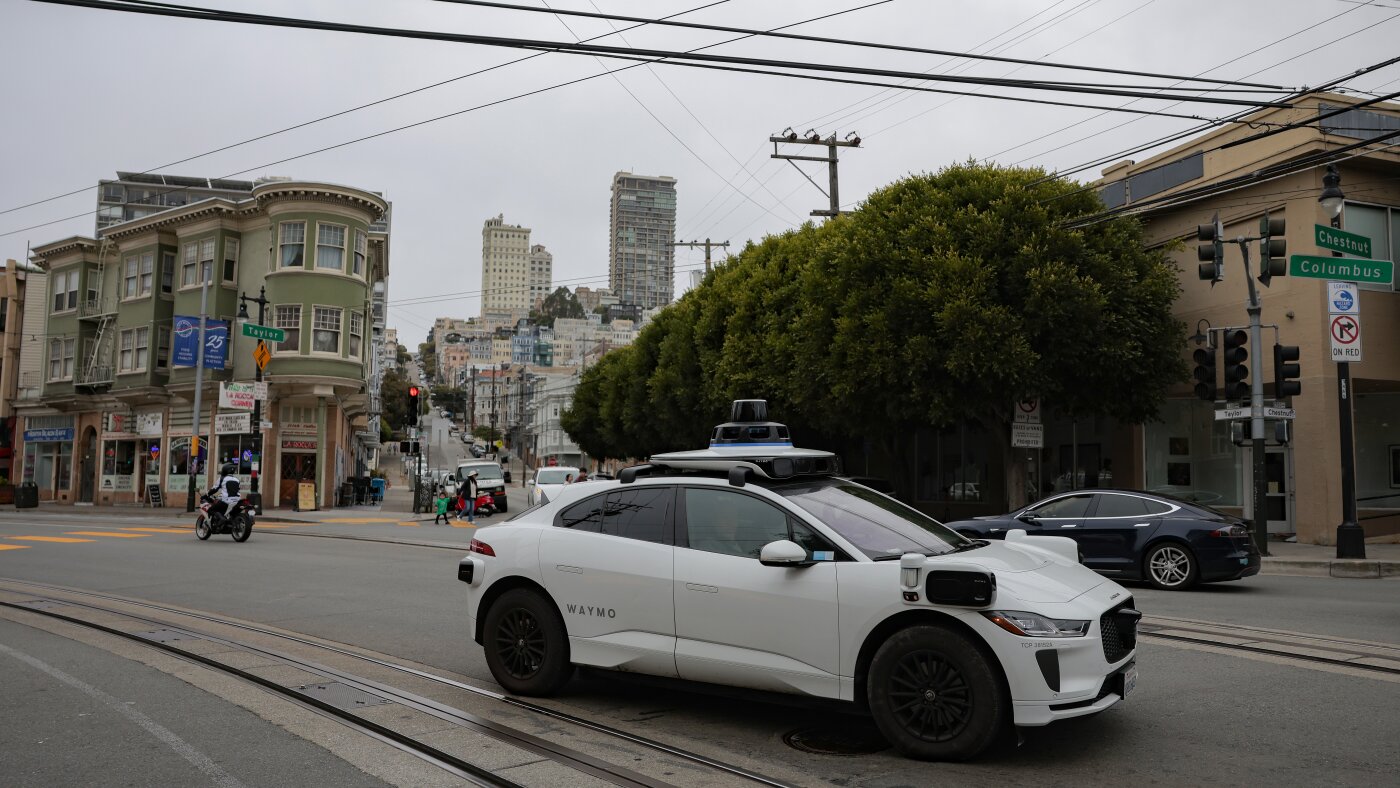
Waymo called the cops on teen riders, raising privacy concerns
-

 Los Angeles, Ca2 hours ago
O.C. police prep for beach, theme park ‘takeovers’ promoted on social media
-

 Detroit, MI3 hours ago
Detroit city leaders to DHS: Stop ICE pursuits which endanger the community
-

 San Francisco, CA3 hours ago
SF Supervisor Jackie Fielder hosts listening session after medical leave


