Technology
New mobile robot helps seniors walk safely and prevent falls


NEWYou can now listen to Fox News articles!
The demographic landscape in the U.S. is shifting rapidly, with the median age now at 38.9, almost a decade older than it was in 1980.
By 2050, the population of adults over 65 is projected to surge from 58 million to 82 million, intensifying the already urgent challenge of eldercare. With falls remaining the top cause of injury among older adults, the need for innovative, tech-driven solutions has never been clearer.
MIT engineers are stepping up to this challenge with E-BAR, a mobile robot designed to physically support seniors and prevent falls as they move around their homes.
Join The FREE CyberGuy Report: Get my expert tech tips, critical security alerts, and exclusive deals — plus instant access to my free Ultimate Scam Survival Guide when you sign up!
An individual demonstrating the E-BAR. (MIT)
How MIT’s E-BAR robot helps prevent falls and support senior mobility
E-BAR, short for Elderly Bodily Assistance Robot, is not your typical assistive device. Rather than relying on harnesses or wearables, which many seniors find cumbersome or stigmatizing, E-BAR operates as a set of robotic handlebars that follow users from behind. This allows individuals to walk freely, lean on the robot’s arms for support or receive full-body assistance when transitioning between sitting and standing. The robot’s articulated body, constructed from 18 interconnected bars, mimics the natural movement of the human body, delivering a seamless and intuitive experience.
AI ROBOTS HELP NURSES BEAT BURNOUT AND TRANSFORM HOSPITAL CARE
The engineering behind E-BAR’s mobility is equally impressive. The robot’s 220-pound base is meticulously designed to support the weight of an average adult without tipping or slipping, and its omnidirectional wheels enable smooth navigation through tight spaces and around household obstacles. This means E-BAR can move effortlessly alongside users, providing support in real time, whether they are reaching for a high shelf or stepping out of a bathtub.
An individual demonstrating the E-BAR. (MIT)
BEST CREDIT CARDS FOR SENIORS AND RETIREES 2025
Inside MIT’s E-BAR: A fall-prevention robot designed for aging in place
What sets E-BAR apart from previous eldercare robots is its integrated fall-prevention system. Each arm is embedded with airbags made from soft, grippable materials that can inflate instantly if a fall is detected. This rapid response cushions the user without causing bruising, and, crucially, it does so without requiring the user to wear any special gear. In lab tests, E-BAR successfully supported elderly volunteers as they performed everyday tasks that often pose a risk for falls, such as bending down, stretching up or navigating the tricky edge of a bathtub.
Currently, E-BAR is operated via remote control, but the MIT team is already working on automating its navigation and assistance features. The vision is for future versions to autonomously follow users, assess their real-time fall risk using machine learning algorithms and provide adaptive support as their mobility needs evolve.
WHAT IS ARTIFICIAL INTELLIGENCE (AI)?
An individual demonstration of the E-BAR. (MIT)
TOP TABLETS FOR SENIORS: EASY, DISTRACTION-FREE AND WI-FI OPTIONAL
Why E-BAR prioritizes dignity, usability and independence for older adults
The E-BAR project is rooted in extensive interviews with seniors and caregivers, which revealed a strong preference for unobtrusive, non-restrictive support systems. E-BAR’s U-shaped handlebars leave the front of the user completely open, allowing for a natural stride and easy exit at any time. The robot is slim enough to fit through standard doorways and is designed to blend into the home environment, making it a practical addition rather than an intrusive medical device.
MIT researchers see E-BAR as part of a broader ecosystem of assistive technologies, each tailored to different stages of aging and mobility. While some devices may offer predictive fall detection or harness-based support, E-BAR’s unique combination of full-body assistance, fall prevention and user autonomy addresses a critical gap for those who want to maintain independence but need occasional support.
HOW VR TECHNOLOGY IS CURING LONELINESS IN SENIORS
What’s next for MIT’s E-BAR robot: Timeline, AI features and market readiness
Currently, MIT’s E-BAR robot is still in the prototype stage and is not yet available for consumer purchase. The research team is continuing to refine the design and aims to bring it to market in the coming years, but it could take 5–10 years before the device receives full regulatory approval and becomes commercially accessible.
Looking forward, the research team is also focused on refining E-BAR’s design to make it slimmer, more maneuverable and even more intuitive to use. They are also exploring ways to integrate advanced AI for real-time fall prediction and adaptive assistance, ensuring that the robot can meet users’ changing needs as they age. The ultimate goal is to provide seamless, continuous support, empowering seniors to live safely and confidently in their own homes.
SUBSCRIBE TO KURT’S YOUTUBE CHANNEL FOR QUICK VIDEO TIPS ON HOW TO WORK ALL OF YOUR TECH DEVICES
An individual using the E-BAR. (MIT)
BEST FATHER’S DAY GIFTS FOR EVERY DAD
Kurt’s key takeaways
What stands out about E-BAR is how it’s designed with real people in mind, not just as a tech gadget. It’s easy to see how something like this could make a big difference for seniors wanting to stay independent without feeling tied down by bulky or uncomfortable devices. As the technology improves, it could change the way we think about caring for older adults, making everyday life safer and a bit easier for everyone involved.
How comfortable would you feel trusting a robot like E-BAR to help your loved ones move safely around their home? Let us know by writing us at Cyberguy.com/Contact
For more of my tech tips and security alerts, subscribe to my free CyberGuy Report Newsletter by heading to Cyberguy.com/Newsletter
Ask Kurt a question or let us know what stories you’d like us to cover.
Follow Kurt on his social channels:
Answers to the most-asked CyberGuy questions:
New from Kurt:
Copyright 2025 CyberGuy.com. All rights reserved.



We’ve been waiting months for our first look at Android running on a PC in Google’s upcoming ChromeOS / Android hybrid platform, codenamed Aluminium OS. Now we’ve seen it in action, and have Google to thank for the leak.
9to5Google spotted a bug report related to Chrome Incognito tabs published to the Google Issue Tracker yesterday, including two screen recordings taken from a device running Aluminium OS. Google has now restricted access to the report, but 9to5Google managed to pull the videos first. The site also reports that the bug tracker mentioned an ALOS software version — already confirmed to be the initialism for Aluminium OS — and that the recordings came from an HP Elite Dragonfly 13.5 Chromebook.
The videos themselves — shared to YouTube by Android Authority — add further confirmation that this is Aluminium OS, listing the OS as Android 16, with a build number that matches the ALOS one mentioned in the bug report. It certainly looks like this is an existing Chromebook being used to test the upcoming ALOS experience, which Android head Sameer Samat previously said we should expect to see more from this year.
As for what we see of Aluminium, it’s very much the mashup you’d expect. The taskbar resembles ChromeOS’s, but moves the start button into the center, à la Android. There’s a status bar at the top, more like Android than ChromeOS, with familiar Android icons for battery, Wi-Fi connection, and so on. The video gives us a brief look at the Play Store, along with some split-screen multitasking, but it’s hardly a deep dive of the new OS. We might need to wait for Google to release a video on purpose for that.

NEWYou can now listen to Fox News articles!
Uber is getting closer to offering rides with no one behind the wheel.
The company recently unveiled a new robotaxi and confirmed that autonomous testing is already underway on public roads in the San Francisco Bay Area. While the vehicle first appeared earlier this month at the Consumer Electronics Show 2026, the bigger story now is what is happening after the show.
These robotaxis are no longer confined to presentations or closed courses. They are driving in real traffic as Uber prepares for a public launch later this year.
Sign up for my FREE CyberGuy Report
Get my best tech tips, urgent security alerts and exclusive deals delivered straight to your inbox. Plus, you’ll get instant access to my Ultimate Scam Survival Guide – free when you join my CYBERGUY.COM newsletter.
PRIVATE AUTONOMOUS PODS COULD REDEFINE RIDE-SHARING
Uber’s new robotaxi operates on public roads in the San Francisco Bay Area as the company moves closer to offering fully driverless rides later this year. (Klaudia Radecka/NurPhoto via Getty Images)
Who is behind Uber’s robotaxi
Uber is the name most riders recognize. However, two partners handle the technology behind the scenes. Lucid Group builds the all-electric vehicle. It is based on the Lucid Gravity SUV, which was designed for long-range efficiency and passenger comfort. Nuro provides the self-driving system. Nuro also leads testing and safety validation. Together, the three companies are developing a robotaxi service that will be available only through Uber.
Uber’s robotaxi is already driving itself
Autonomous on-road testing began last month in the Bay Area. These tests take place on public streets rather than private test tracks. Nuro runs the testing program using trained safety operators who supervise each trip. The focus is on everyday driving situations such as intersections, lane changes, traffic lights and pedestrians. This stage is critical. It allows engineers to evaluate how the system behaves in real conditions before opening rides to the public.
What makes Uber’s robotaxi different
Uber’s robotaxi was designed from the start to operate without a driver. It combines electric vehicle engineering with visible autonomy features that riders can understand.
Key features include:
- A multi-sensor system using cameras, lidar and radar for full awareness
- A low-profile roof-mounted Halo module integrated into the vehicle
- Exterior LED displays that show rider initials and trip status
- In-cabin screens for climate, music and support access
- Real-time visuals that show what the vehicle sees and plans to do
- Seating for up to six passengers with room for luggage
The robotaxi runs on high-performance computing powered by NVIDIA DRIVE AGX Thor. This system handles the real-time AI processing required for autonomous driving.
A robotaxi ride that explains itself
One standout feature is transparency. Riders can see how the robotaxi perceives the road and plans its next move. The display shows lane changes, yielding behavior, slowing at traffic lights and the planned drop-off point. This helps riders understand what the vehicle is doing instead of guessing. Inside the cabin, passengers can adjust heated seats, climate controls and music. They can also contact support or request the vehicle to pull over if needed.
CAN AUTONOMOUS TRUCKS REALLY MAKE HIGHWAYS SAFER?
The all-electric Uber robotaxi, built with partners Lucid and Nuro, is now navigating real traffic without a human driver. (INA FASSBENDER / AFP via Getty Images)
Uber plans to scale robotaxis across the U.S. and global markets
Uber plans to deploy 20,000 or more robotaxis over the next six years. These vehicles will operate in dozens of U.S. and international markets. Lucid will integrate all required hardware directly on the production line at its Casa Grande, Arizona factory. Uber will own and operate the vehicles along with third-party fleet partners. Every robotaxi ride will be booked through the Uber app, just like a standard Uber trip.
How Uber is handling robotaxi safety and regulation
Safety sits at the center of this rollout. Nuro’s validation process combines simulation, closed-course testing and supervised on-road driving. The system relies on an end-to-end AI foundation model paired with clear safety logic. The goal is predictable, comfortable driving across a wide range of conditions. Uber and its partners are also working with regulators, policymakers and local governments to ensure the service aligns with public safety standards and city planning goals.
When Uber’s driverless rides are expected to launch
Uber says the first autonomous rides will launch in a major U.S. city later in 2026. The service will be available exclusively through the Uber app. Production of the robotaxi is expected to begin later this year, pending final validation.
What this means to you
If you use Uber, driverless rides may soon appear as an option. These vehicles could offer quieter trips, more consistent driving and improved availability during peak times. For cities, a shared electric robotaxi fleet could help reduce emissions and congestion. For riders, seeing how the vehicle thinks and reacts may make autonomous travel feel less intimidating.
Take my quiz: How safe is your online security?
Think your devices and data are truly protected? Take this quick quiz to see where your digital habits stand. From passwords to Wi-Fi settings, you’ll get a personalized breakdown of what you’re doing right and what needs improvement. Take my Quiz here: Cyberguy.com.
CES 2026 SHOWSTOPPERS: 10 GADGETS YOU HAVE TO SEE
Uber confirms autonomous testing is underway after unveiling its robotaxi at CES 2026, marking a major step toward a public launch. (INA FASSBENDER / AFP via Getty Images)
Kurt’s key takeaways
Uber’s robotaxi effort feels more grounded than many past autonomous promises. It combines a known ride-hailing platform a purpose-built electric vehicle and a self-driving system already operating on public roads. If testing continues to progress, driverless Uber rides could move from something new to something normal sooner than many expect.
Would you get into an Uber if there was no driver sitting in the front seat? Let us know by writing to us at Cyberguy.com.
CLICK HERE TO DOWNLOAD THE FOX NEWS APP
Sign up for my FREE CyberGuy Report
Get my best tech tips, urgent security alerts and exclusive deals delivered straight to your inbox. Plus, you’ll get instant access to my Ultimate Scam Survival Guide – free when you join my CYBERGUY.COM newsletter.
Copyright 2026 CyberGuy.com. All rights reserved.

NEWYou can now listen to Fox News articles!
Food delivery platform Grubhub has confirmed a recent data breach after unauthorized actors accessed parts of its internal systems.
The disclosure comes as sources tell BleepingComputer the company is now facing extortion demands linked to stolen data.
In a statement to BleepingComputer, Grubhub said it detected and stopped the activity quickly.
“We’re aware of unauthorized individuals who recently downloaded data from certain Grubhub systems,” the company said. “We quickly investigated, stopped the activity, and are taking steps to further increase our security posture.”
Grubhub added that sensitive information, such as financial details or order history, was not affected. However, the company declined to answer follow-up questions about when the breach occurred, whether customer data was involved or if it is actively being extorted.
Sign up for my FREE CyberGuy Report
Get my best tech tips, urgent security alerts and exclusive deals delivered straight to your inbox. Plus, you’ll get instant access to my Ultimate Scam Survival Guide – free when you join my CYBERGUY.COM newsletter.
RANSOMWARE ATTACK EXPOSES SOCIAL SECURITY NUMBERS AT MAJOR GAS STATION CHAIN
Grubhub confirmed a data breach after unauthorized actors accessed parts of its internal systems, prompting an investigation and heightened security measures. (Michael Nagle/Bloomberg via Getty Images)
What Grubhub has confirmed so far
While details remain limited, Grubhub confirmed several key points. It has brought in a third-party cybersecurity firm and notified law enforcement. Beyond that, the company has stayed largely silent. That lack of detail has raised concern, especially given Grubhub’s recent security history. Just last month, the company was linked to scam emails sent from its own b.grubhub.com subdomain. Those messages promoted a cryptocurrency scam promising large returns on Bitcoin payments. Grubhub said it contained the incident and blocked further unauthorized emails. It did not clarify whether the two events are related.
Sources link the breach to ShinyHunters extortion
According to multiple sources cited by BleepingComputer, the ShinyHunters hacking group is behind the extortion attempt. The group has not publicly commented on the claims and declined to respond when contacted. Sources say the attackers are demanding a Bitcoin payment to prevent the release of stolen data. That data reportedly includes older Salesforce records from a February 2025 breach and newer Zendesk data taken during the most recent intrusion. Grubhub uses Zendesk to run its online customer support system. That platform handles order issues, account access and billing questions, making it a valuable target for attackers.
How stolen credentials may have enabled the attack
Investigators believe the breach may be tied to credentials stolen during earlier Salesloft Drift attacks. In August 2025, threat actors used stolen OAuth tokens from Salesloft’s Salesforce integration to access sensitive systems over a 10-day period. According to a report from Google Threat Intelligence Group, also known as Mandiant, attackers used that stolen data to launch follow-up attacks across multiple platforms. “GTIG observed UNC6395 targeting sensitive credentials such as AWS access keys, passwords and Snowflake-related access tokens,” Google reported. ShinyHunters previously claimed responsibility for that campaign, stating it stole roughly 1.5 billion records from Salesforce environments tied to hundreds of companies.
Why this breach still matters
Even if payment data and order history were not affected, support systems often contain personal details. Names, email addresses and account notes can be enough to fuel phishing attacks or identity scams. More importantly, this incident highlights how older breaches can continue to cause damage long after the initial attack. Stolen credentials that are never rotated remain a powerful entry point for threat actors.
Ways to stay safe after the Grubhub data breach
If you use Grubhub or any online delivery service, a few smart steps can reduce your risk after a breach.
1) Update your password and stop re-use
Start by changing your Grubhub password right away. Make sure you do not reuse that password anywhere else. Reused passwords give attackers an easy path into other accounts. A password manager can help here. It creates strong, unique logins and stores them securely so you do not have to remember them all.
Next, see if your email has been exposed in past breaches. Our No. 1 password manager pick includes a built-in breach scanner that checks whether your email address or passwords have appeared in known leaks. If you discover a match, immediately change any reused passwords and secure those accounts with new, unique credentials.
Check out the best expert-reviewed password managers of 2026 at Cyberguy.com.
ILLINOIS DHS DATA BREACH EXPOSES 700K RESIDENTS’ RECORDS
The food delivery platform says it quickly stopped the intrusion but has not disclosed when the breach occurred or whether customers were targeted. (Leonardo Munoz/VIEWpress)
2) Turn on two-factor authentication
If two-factor authentication (2FA) is available, enable it. This adds a second step when you sign in, such as a code sent to your phone or app. Even if a hacker steals your password, two-factor authentication can stop them from getting in.
3) Watch closely for phishing attempts and use strong antivirus software
Be alert for emails or texts that mention orders, refunds or support issues. Attackers often use stolen support data to make messages feel urgent and real. Do not click links or open attachments unless you are certain they are legitimate. Strong antivirus software can also help block malicious links and downloads before they cause harm.
The best way to safeguard yourself from malicious links that install malware, potentially accessing your private information, is to have strong antivirus software installed on all your devices. This protection can also alert you to phishing emails and ransomware scams, keeping your personal information and digital assets safe.
Get my picks for the best 2026 antivirus protection winners for your Windows, Mac, Android and iOS devices at Cyberguy.com.
4) Remove your data from people-search sites
Consider using a data removal service to reduce your online footprint. These services help remove your personal details from data broker sites that attackers often use to build profiles. Less exposed data means fewer tools for scammers to exploit.
While no service can guarantee the complete removal of your data from the internet, a data removal service is really a smart choice. They aren’t cheap, and neither is your privacy. These services do all the work for you by actively monitoring and systematically erasing your personal information from hundreds of websites. It’s what gives me peace of mind and has proven to be the most effective way to erase your personal data from the internet. By limiting the information available, you reduce the risk of scammers cross-referencing data from breaches with information they might find on the dark web, making it harder for them to target you.
Check out my top picks for data removal services and get a free scan to find out if your personal information is already out on the web by visiting Cyberguy.com.
Get a free scan to find out if your personal information is already out on the web: Cyberguy.com.
5) Ignore crypto messages using trusted brands
Be skeptical of any cryptocurrency offers tied to familiar companies. Grubhub was previously linked to scam emails promoting crypto schemes, which shows how often attackers abuse trusted names. Legitimate companies do not promise fast returns or pressure you to act immediately.
6) Monitor your Grubhub account and email activity
Check your Grubhub account for anything that looks unfamiliar. Watch for unexpected password reset emails, order confirmations or support messages you did not request. Attackers often test stolen data quietly before making bigger moves.
7) Secure the email linked to your Grubhub account
Your email account is the key to password resets. Change that password and enable two-factor authentication if it is not already on. If attackers control your email, they can regain access even after you change other passwords.
8) Stay alert for delayed scams tied to the breach
Breach data is often reused weeks or months later. Phishing attempts may appear long after headlines fade. Treat any future messages claiming to reference Grubhub support, refunds or account issues with extra caution.
These steps will not undo a breach, but they can limit how attackers exploit stolen information and reduce your risk going forward.
FIBER BROADBAND GIANT INVESTIGATES BREACH AFFECTING 1M USERS
Sources tell BleepingComputer the Grubhub breach is tied to extortion demands involving allegedly stolen customer support data. (Gabby Jones/Bloomberg via Getty Images)
Kurt’s key takeaways
Grubhub’s confirmation puts an official stamp on what sources have warned about for weeks. While the company says sensitive data was not affected, unanswered questions remain. As extortion-driven breaches rise, transparency and rapid credential rotation matter more than ever. What stands out most is how past compromises continue to create new risks. When access tokens live too long, attackers do not need to break in again. They simply walk back through an open door.
If companies stay quiet after breaches, how can customers know when it is time to protect themselves? Let us know by writing to us at Cyberguy.com.
CLICK HERE TO DOWNLOAD THE FOX NEWS APP
Sign up for my FREE CyberGuy Report
Get my best tech tips, urgent security alerts and exclusive deals delivered straight to your inbox. Plus, you’ll get instant access to my Ultimate Scam Survival Guide – free when you join my CYBERGUY.COM newsletter.
Copyright 2026 CyberGuy.com. All rights reserved.

There’s a jazz renaissance happening in Los Angeles. Why now?

Pasadena Jewish Temple sues Edison for igniting Eaton fire

The share of Americans medically obese is projected to rise to almost 50% by 2035

Caitlin Clark to serve as analyst ahead of Lakers-Knicks game on NBC’s ‘Basketball Night in America’ debut

Free trade or fair play? MEPs go head-to-head on Mercosur in The Ring

Florida High School Football Rankings: Top 25 teams – Oct. 21

Cleary's 21 help Le Moyne down Central Connecticut State 69-64 in OT

How old is Bo Nix? What to know about Oregon quarterback ahead of 2024 NFL Draft

99th annual Pony Swim held in Virginia

Indiana Members Credit Union announced as new anchor tenant at Bottleworks District
Free trade or fair play? MEPs go head-to-head on Mercosur in The Ring
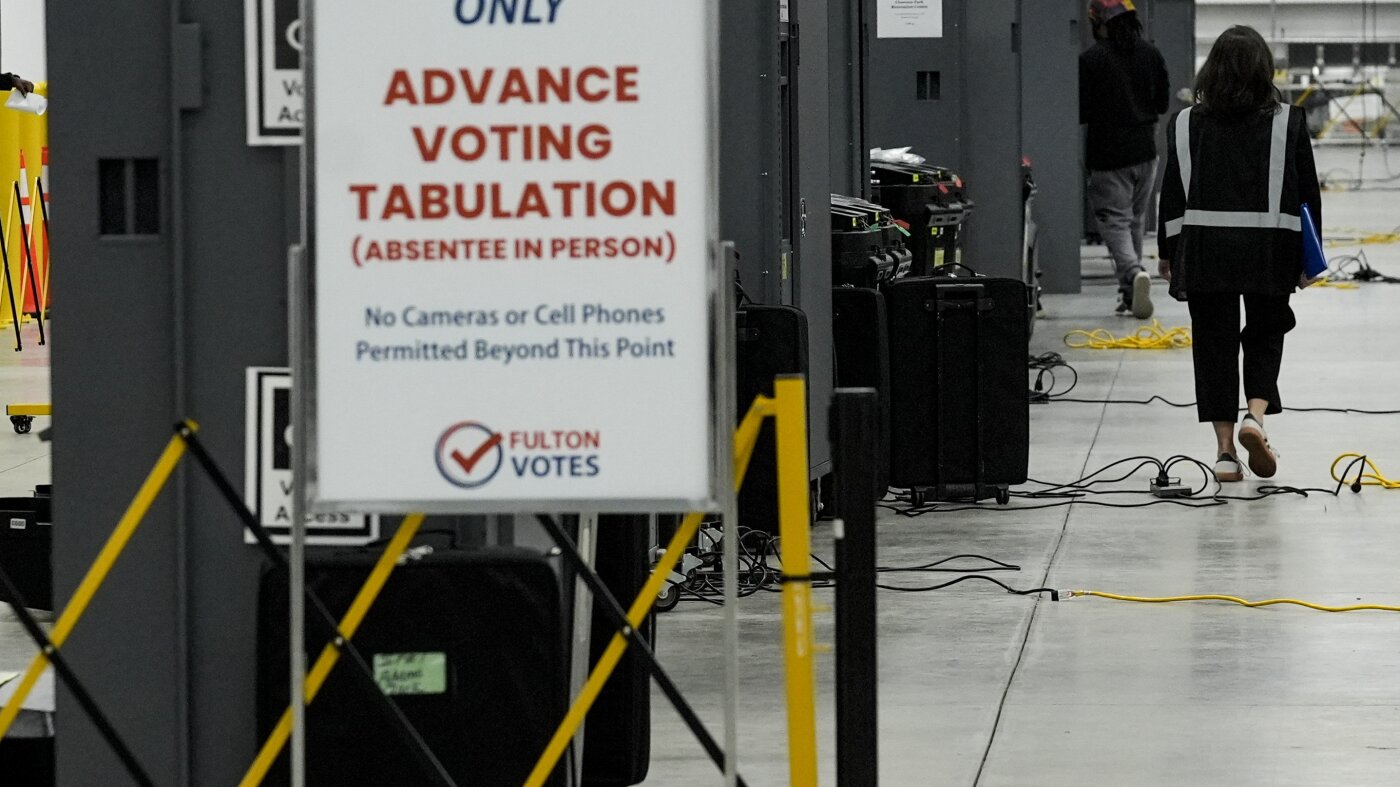
The FBI conducts a search at the Fulton County election office in Georgia

Graham pushes back on Tillis’ criticism of Noem, Miller for labeling man killed by Border Patrol a ‘terrorist’

North Korea’s Kim to outline plans to boost nuclear arsenal

Rep. Ilhan Omar rushed by man on stage and sprayed with liquid at town hall event
-

 Illinois6 days ago
Illinois school closings tomorrow: How to check if your school is closed due to extreme cold
-

 Pittsburg, PA1 week ago
Sean McDermott Should Be Steelers Next Head Coach
-

 Pennsylvania2 days ago
Rare ‘avalanche’ blocks Pennsylvania road during major snowstorm
-

 Lifestyle1 week ago
Nick Fuentes & Andrew Tate Party to Kanye’s Banned ‘Heil Hitler’
-

 Sports1 week ago
Miami star throws punch at Indiana player after national championship loss
-

 Cleveland, OH1 week ago
Northeast Ohio cities dealing with rock salt shortage during peak of winter season
-

 Technology6 days ago
Ring claims it’s not giving ICE access to its cameras
-
 Science1 week ago
Contributor: New food pyramid is a recipe for health disasters